
DijiText
DijiText ProductsRandevul

The workshop logbook, now digital.

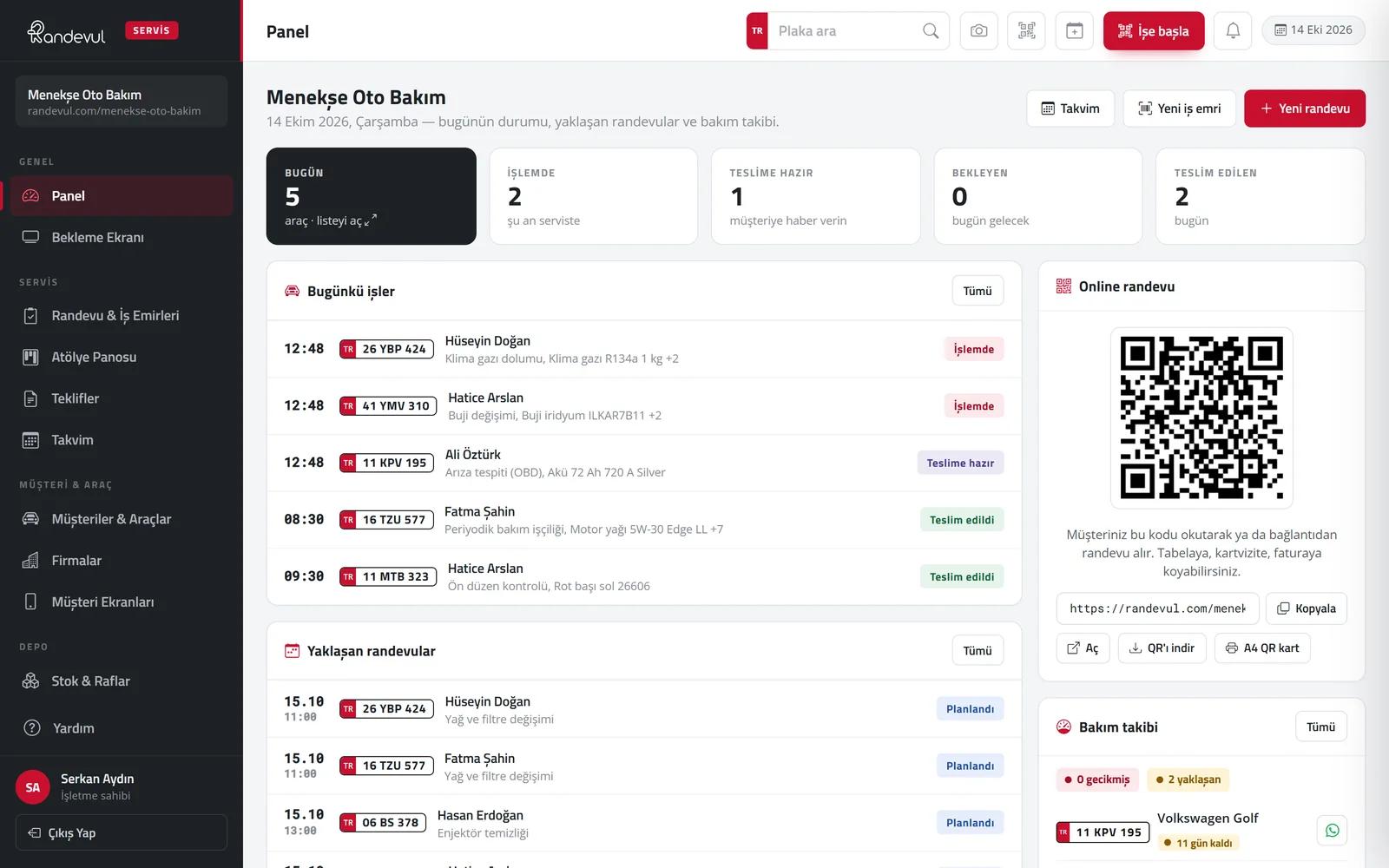
Service software for automotive businesses that brings online booking, plate-based vehicle check-in, work orders, quotes, stock, finance and maintenance reminders into a single panel.

7 days free · no credit card required

randevul.com
Randevul — Service management software for the automotive trade

Randevul is service management software that comes pre-configured for 25 types of automotive businesses, from mechanics, body & paint, tyres and auto electrics to car wash and vehicle inspection. Every step from booking to delivery is recorded: plates and registration documents are read by camera, work orders are assigned to technicians and lifts, customers approve quotes by signing on their phone, payments and instalments are tracked, and vehicle owners get an SMS when maintenance is due. It runs on phone, tablet and computer with no installation required.

Key features

  • Online booking page and lift-based capacity
  • Plate and registration reading by camera
  • Work orders: items, technician, time, lift, stock deduction
  • Quotes: signed approval from the customer’s phone
  • Service history, QR service card, mileage + date reminders
  • Income & expenses, cash, receivables, instalments, salaries and advances
  • Stock and shelves, barcode / QR labels
  • Staff roles, permissions and performance reports
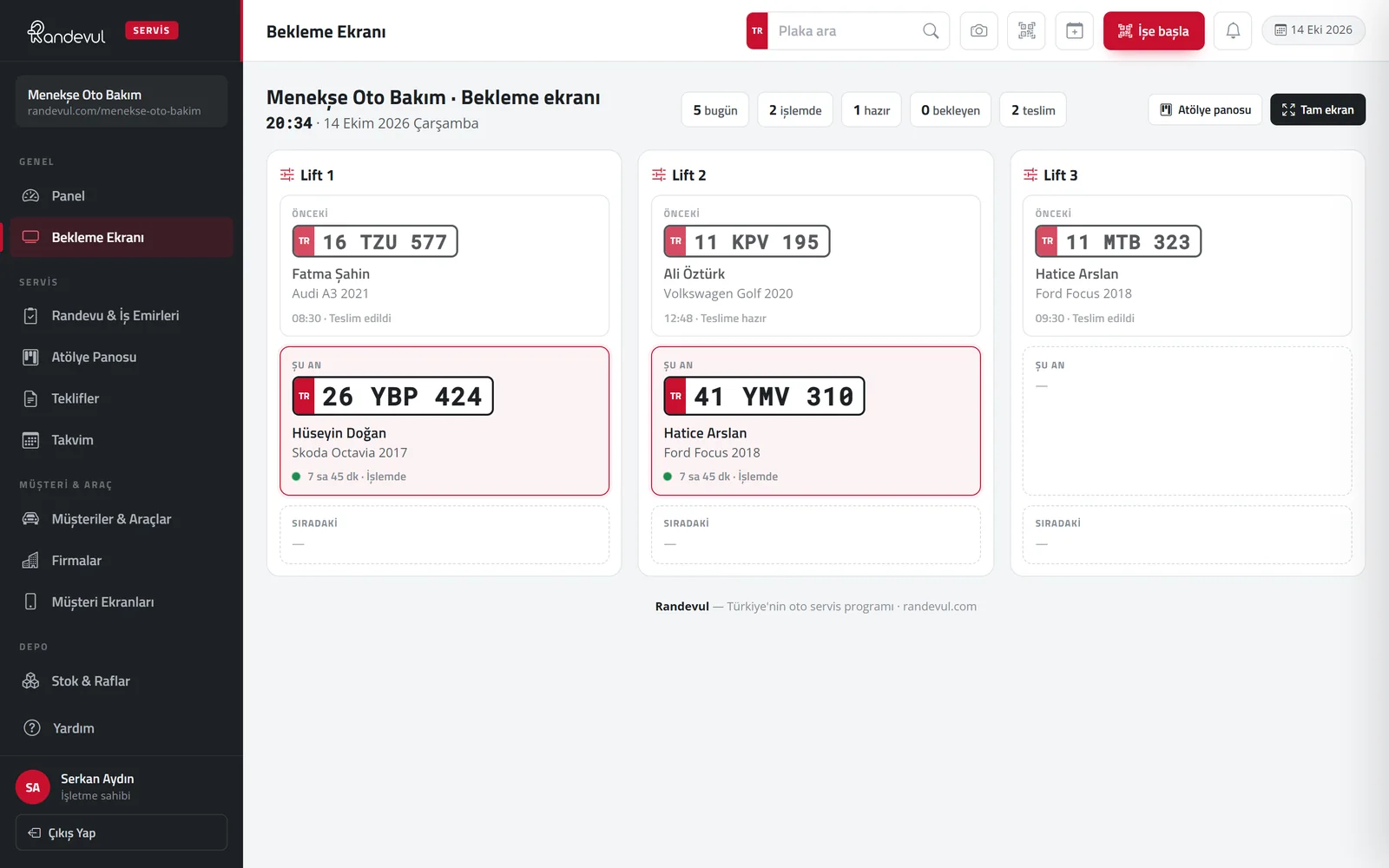
  • Waiting room screen and customer vehicle page
  • Ready setup for 25 business types, 7-day demo
Create a demo account
Problem → solution

Four everyday workshop scenes, answered on one screen.

The old way

The phone rings while you’re under the bonnet.

With Randevul

Customers book online; the system shows the free slots.

The old way

The plate is in a notebook, the history is nowhere.

With Randevul

Scan the plate; every job done is on one screen.

The old way

Customers due for service go to another workshop.

With Randevul

Reminders go out automatically by mileage and date.

The old way

The customer asking “what’s happening with my car?”

With Randevul

The waiting room screen shows the next and ready vehicles; customers follow their car’s status on their phone.

How it works

A vehicle’s service journey, in five steps.

  1. 01

    Booking

    The customer picks the service and time on the business’s own page; the phone is verified by SMS code.

  2. 02

    Check-in

    The plate is read by camera; mileage and complaint are noted, and scanning the registration fills in the vehicle details.

  3. 03

    Workshop

    The vehicle goes on a lift and the job to a technician; work progresses as items are ticked off and working time is tracked.

  4. 04

    Delivery

    A “your car is ready” message goes out; payment, deposit and instalments are recorded and the QR service card is updated.

  5. 05

    Reminder

    When the next service mileage or date comes up, the customer is notified automatically.

Modules

Everything a workshop needs, in one panel.

01

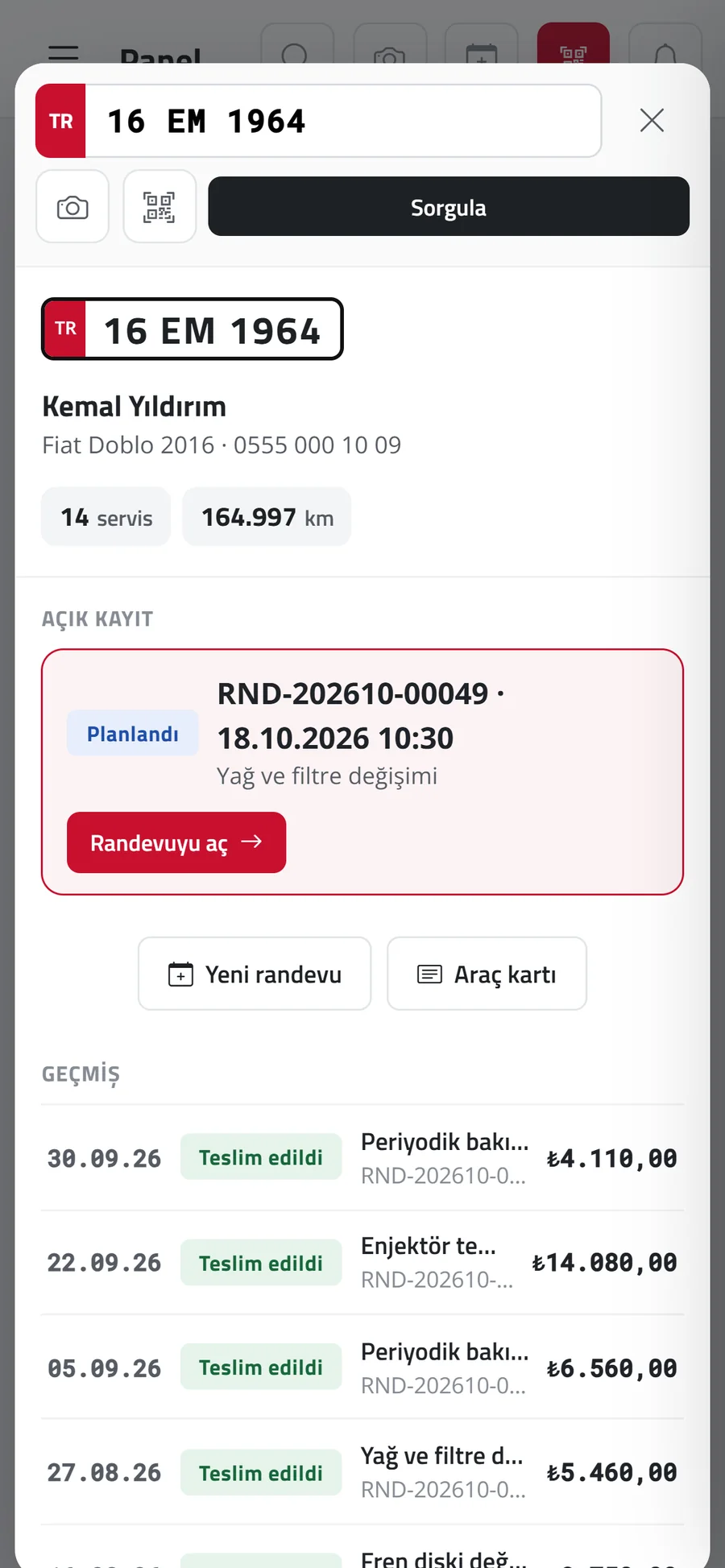
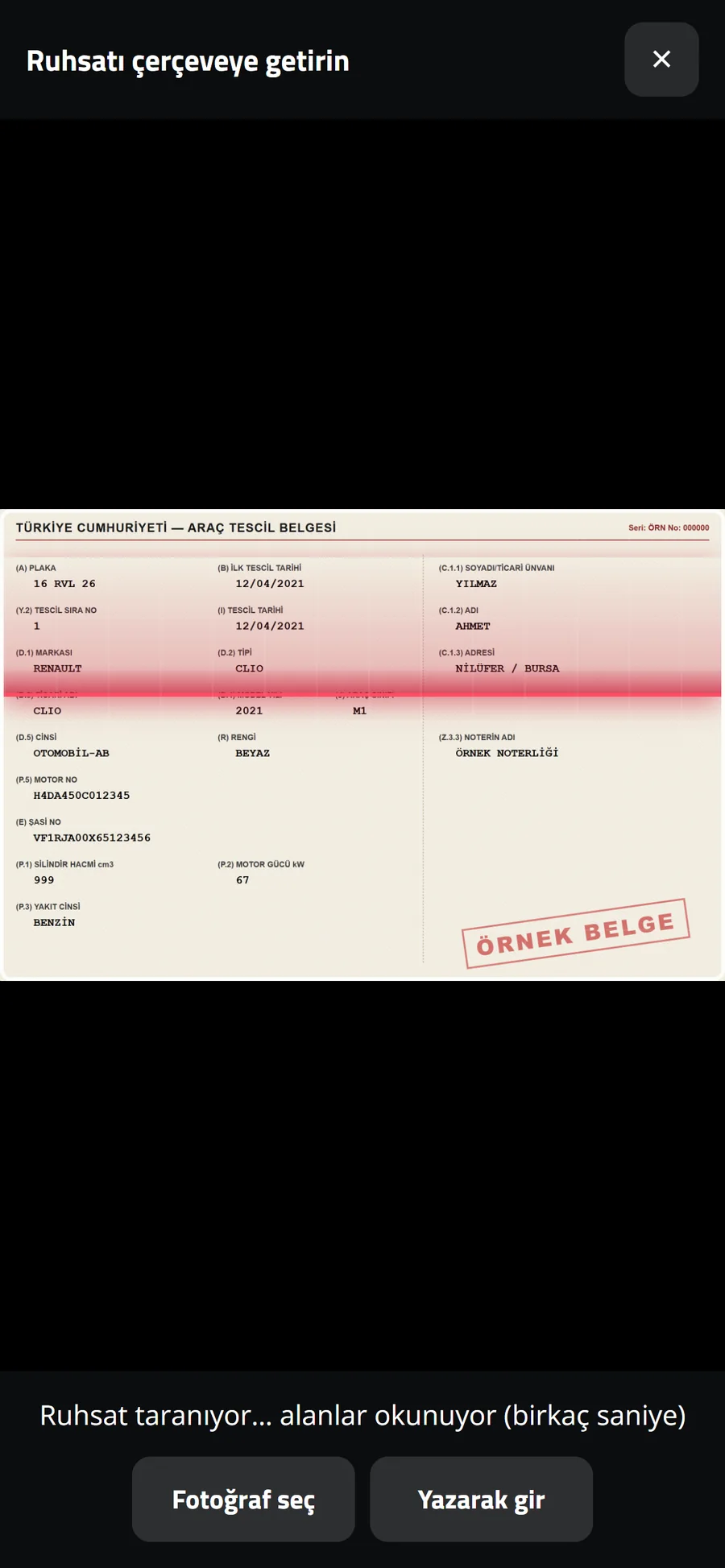
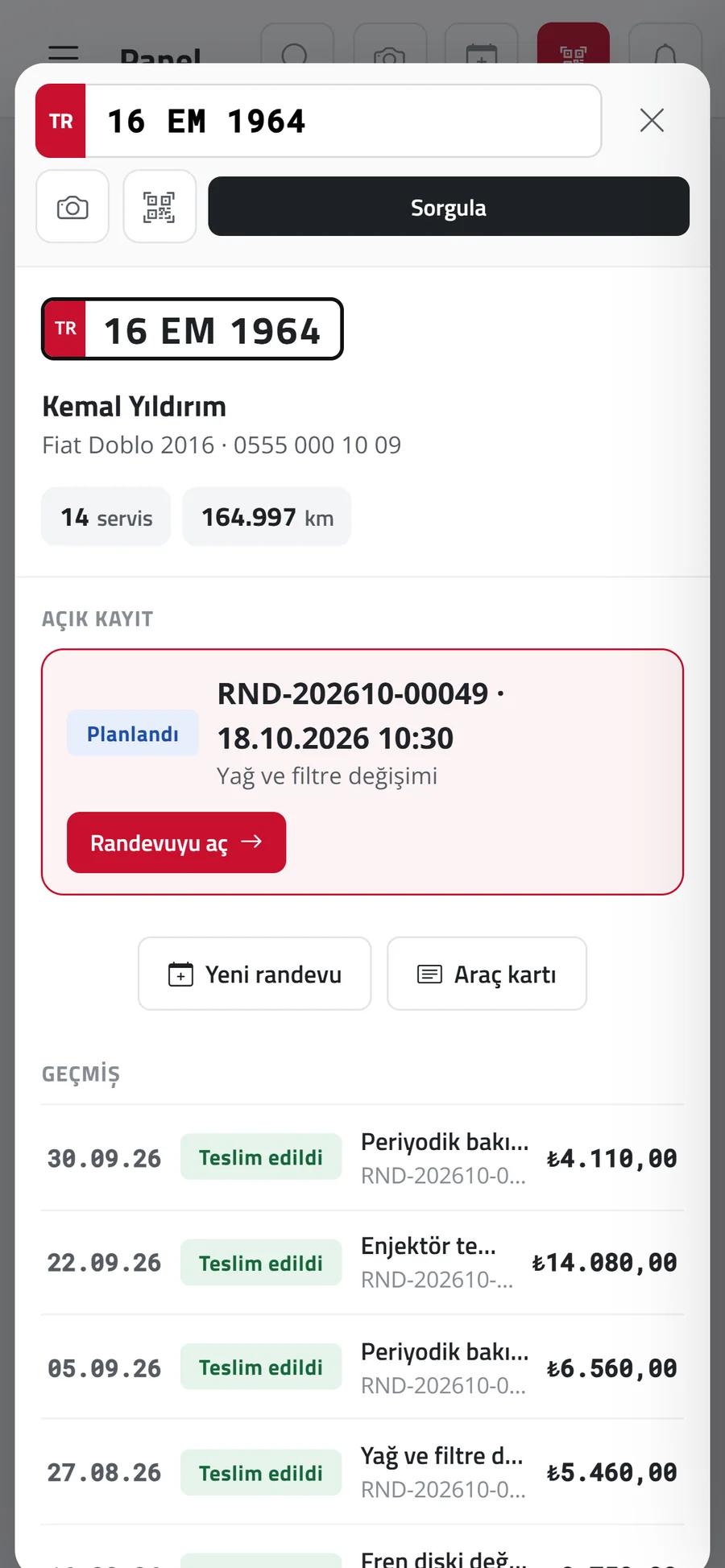
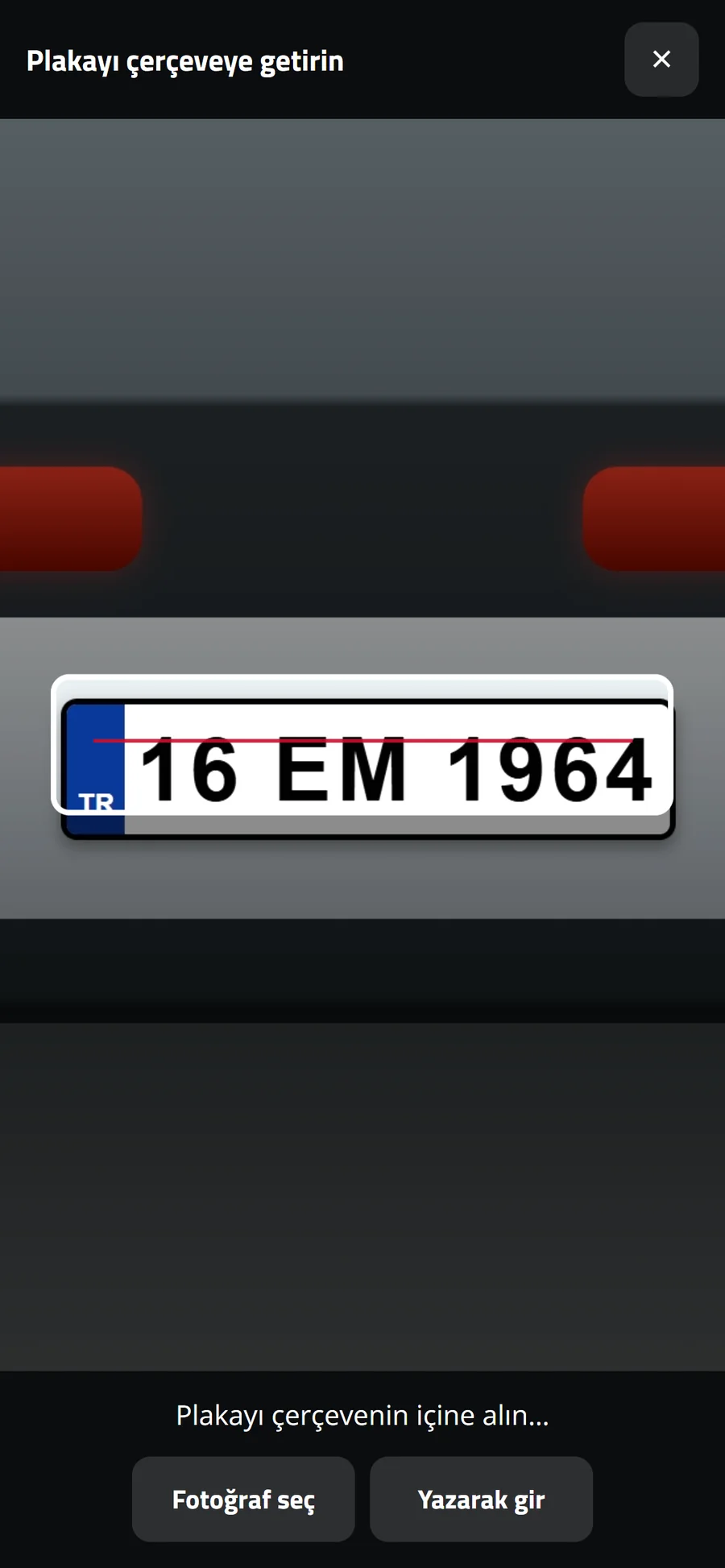
Camera-based vehicle check-in

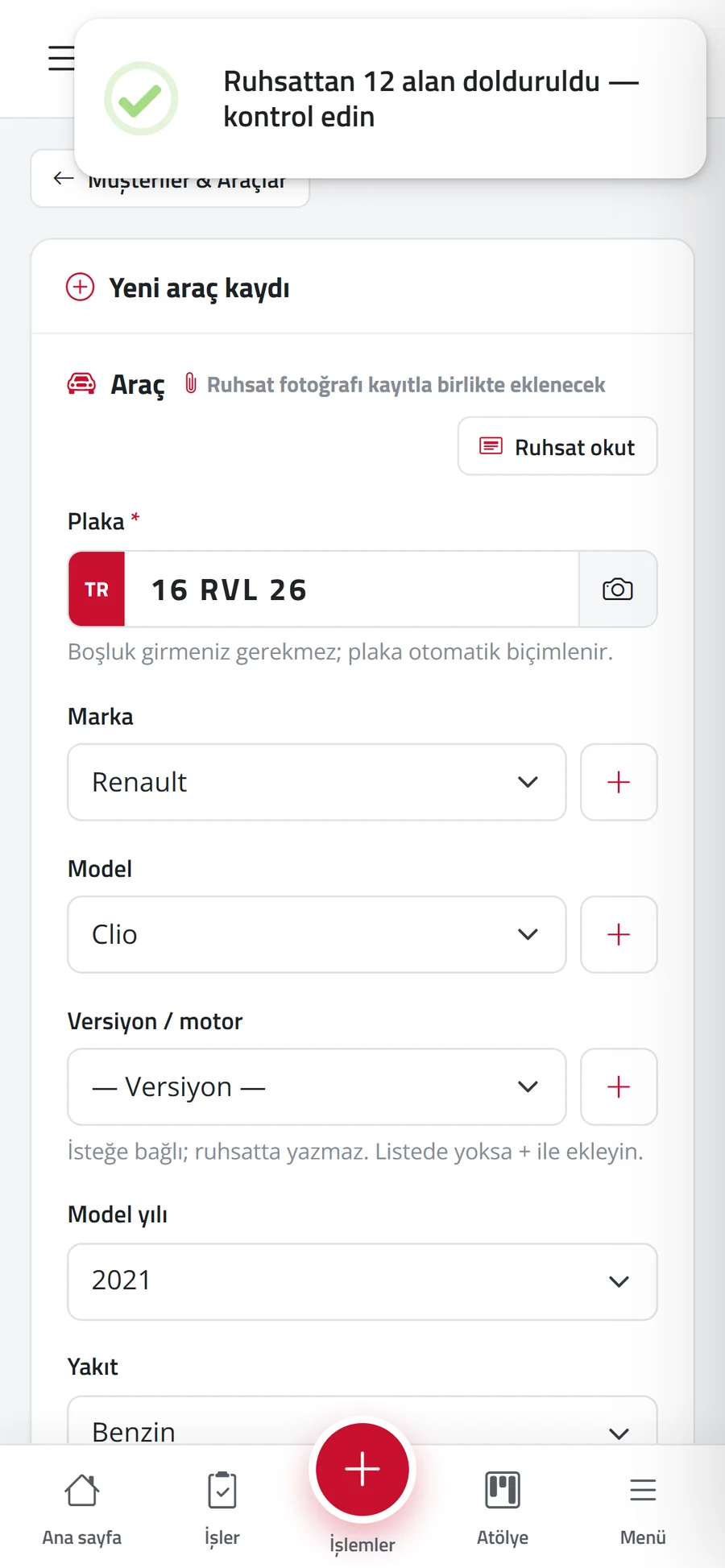
The plate is read with a phone or tablet camera; the system finds the vehicle and opens its service history. Scanning the registration fills 12 fields automatically.

  • Plate reading is confirmed by the user
  • Make, model, VIN, engine no. and owner from the registration
  • Start job: one-step work order via plate or QR
  • Images are processed on the server, never sent outside
Randevul — Camera-based vehicle check-in 1
Randevul — Camera-based vehicle check-in 2
Randevul — Camera-based vehicle check-in 3
Randevul — Camera-based vehicle check-in 4
02

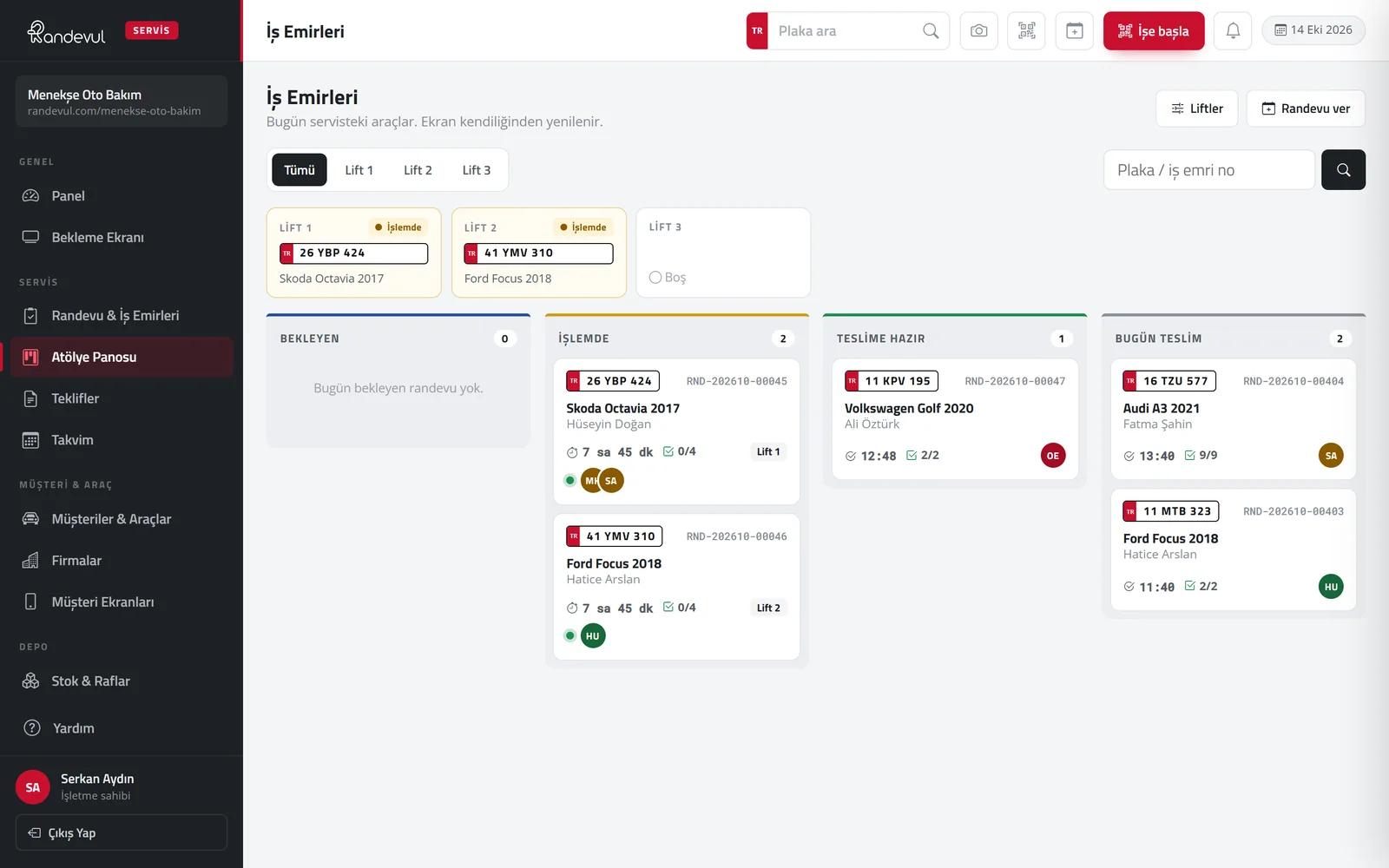
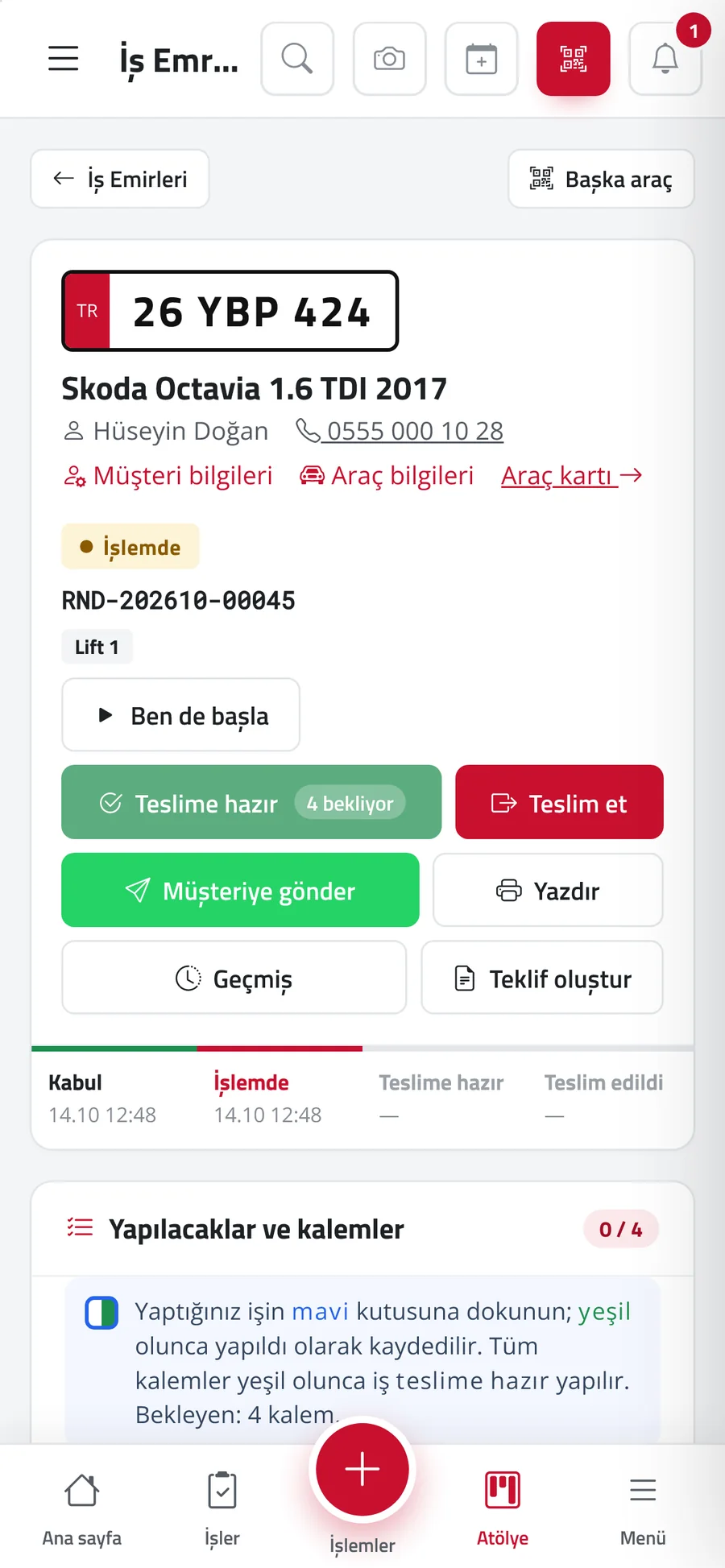
Work orders and workshop board

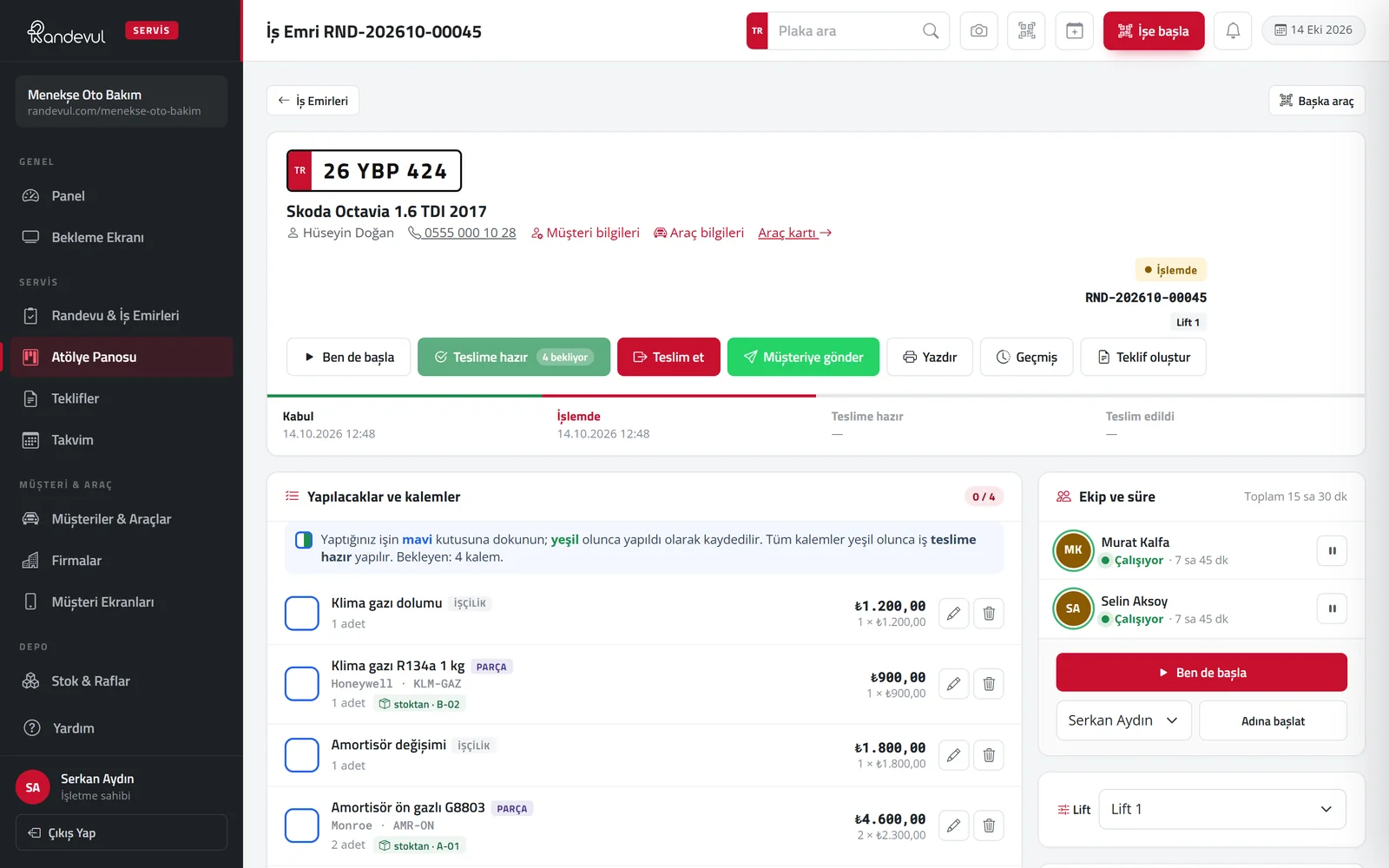
Every step from check-in to delivery is time-stamped. Work progresses as technicians tick off items; the workshop board and waiting room screen keep everyone informed at once.

  • Labour and parts items, packages, adding by barcode / QR
  • Multiple technicians, working time with start / pause
  • Lift assignment, stock deduction, photos and documents
  • Payment, deposit, instalments and next service at delivery
Randevul — Work orders and workshop board
Randevul — Work orders and workshop board 2
Randevul — Work orders and workshop board 3
03

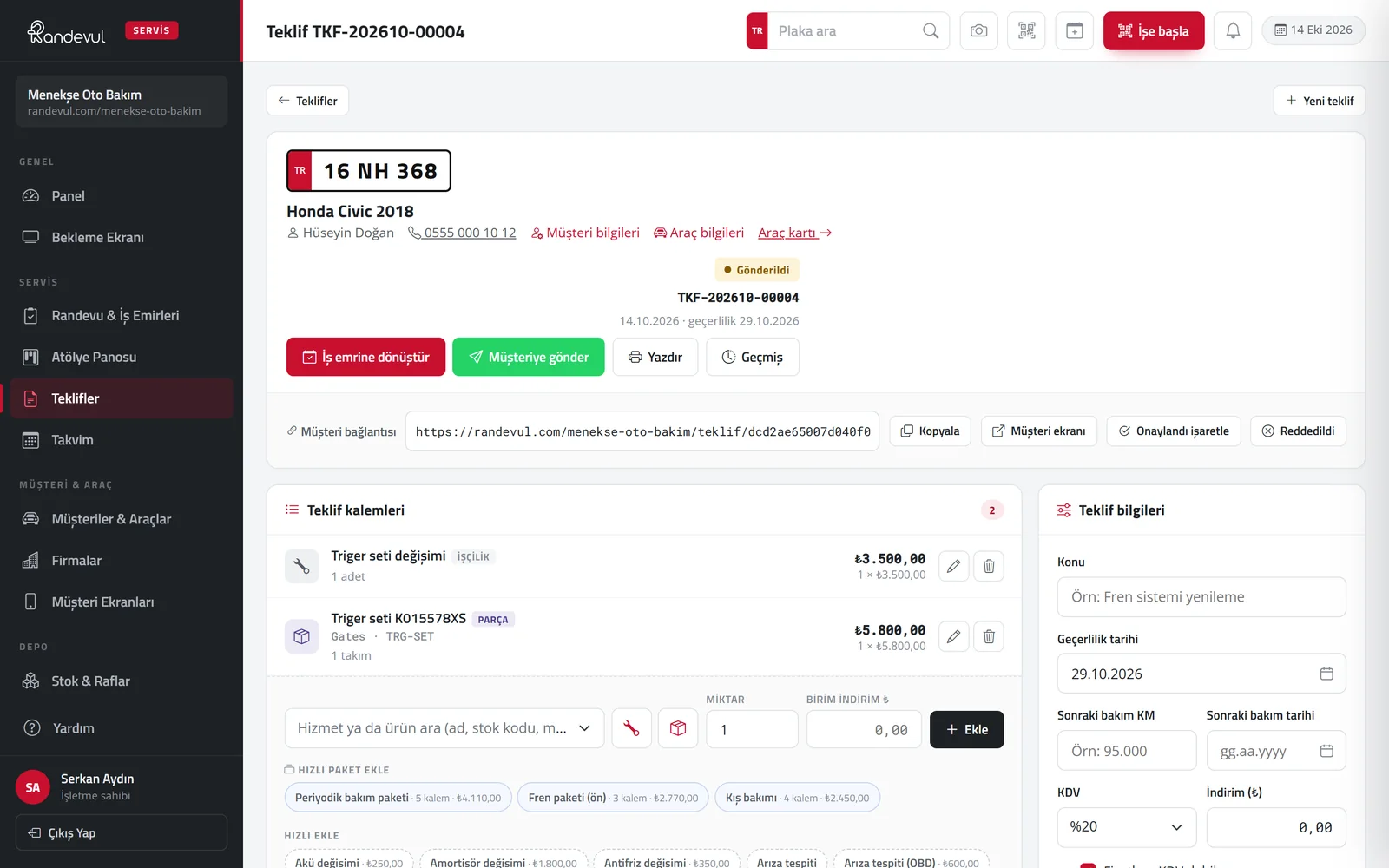
Quotes and signed approval

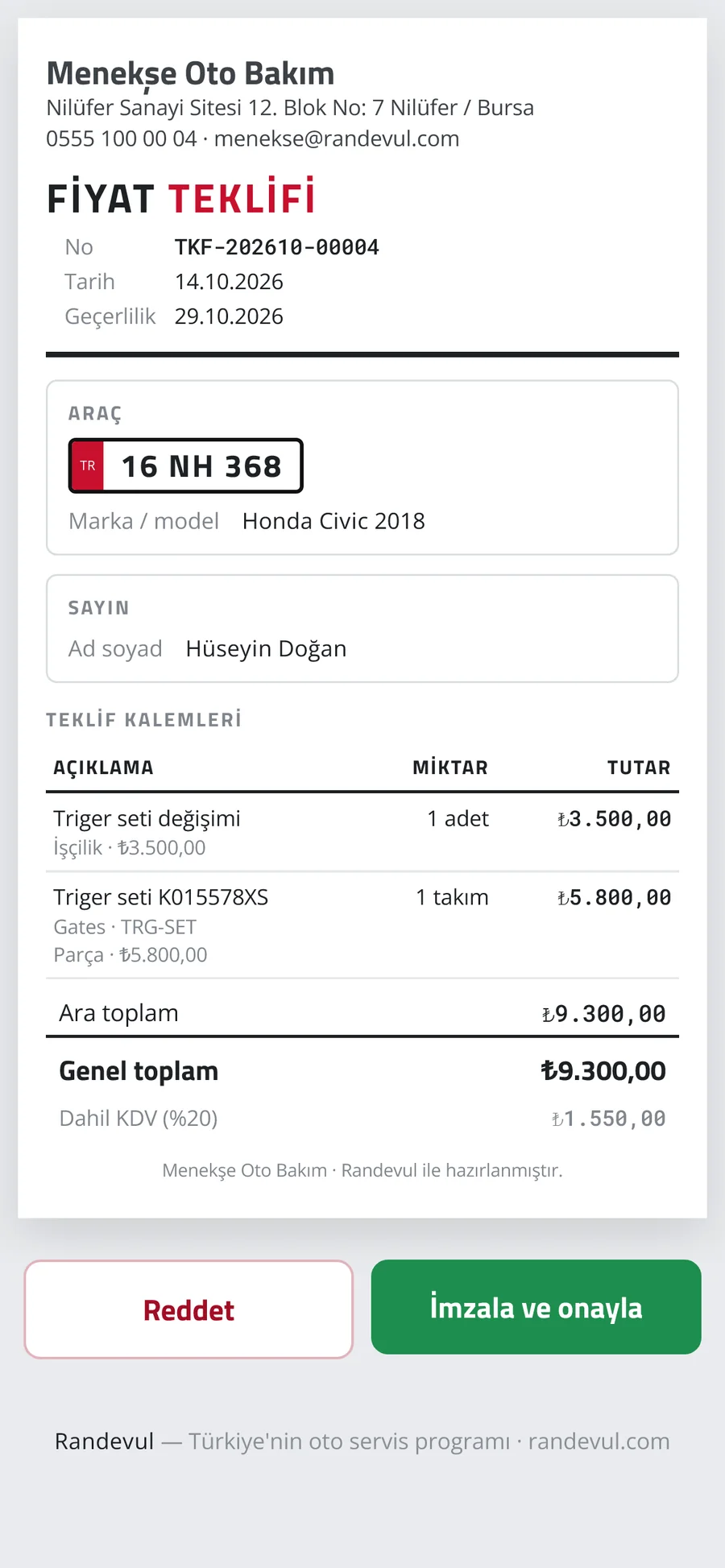
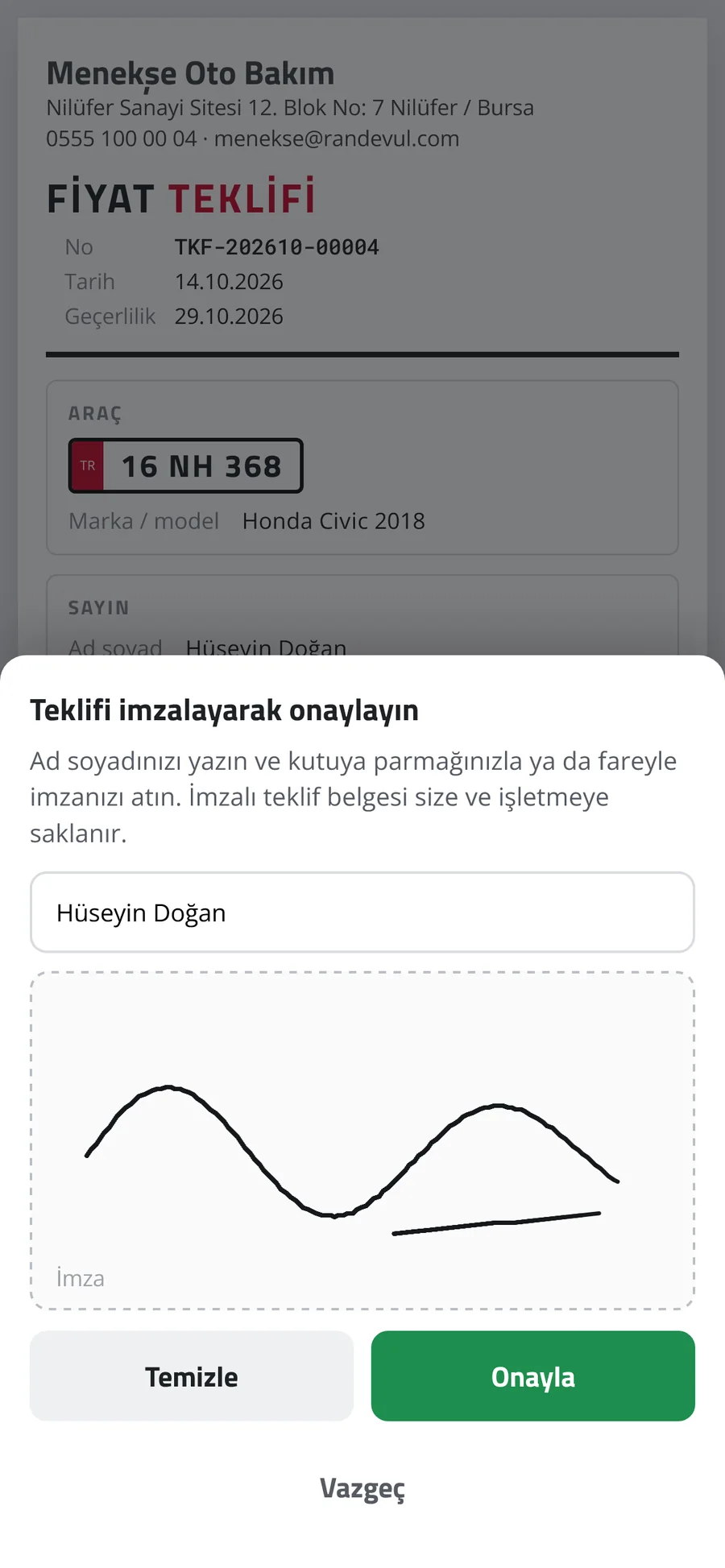
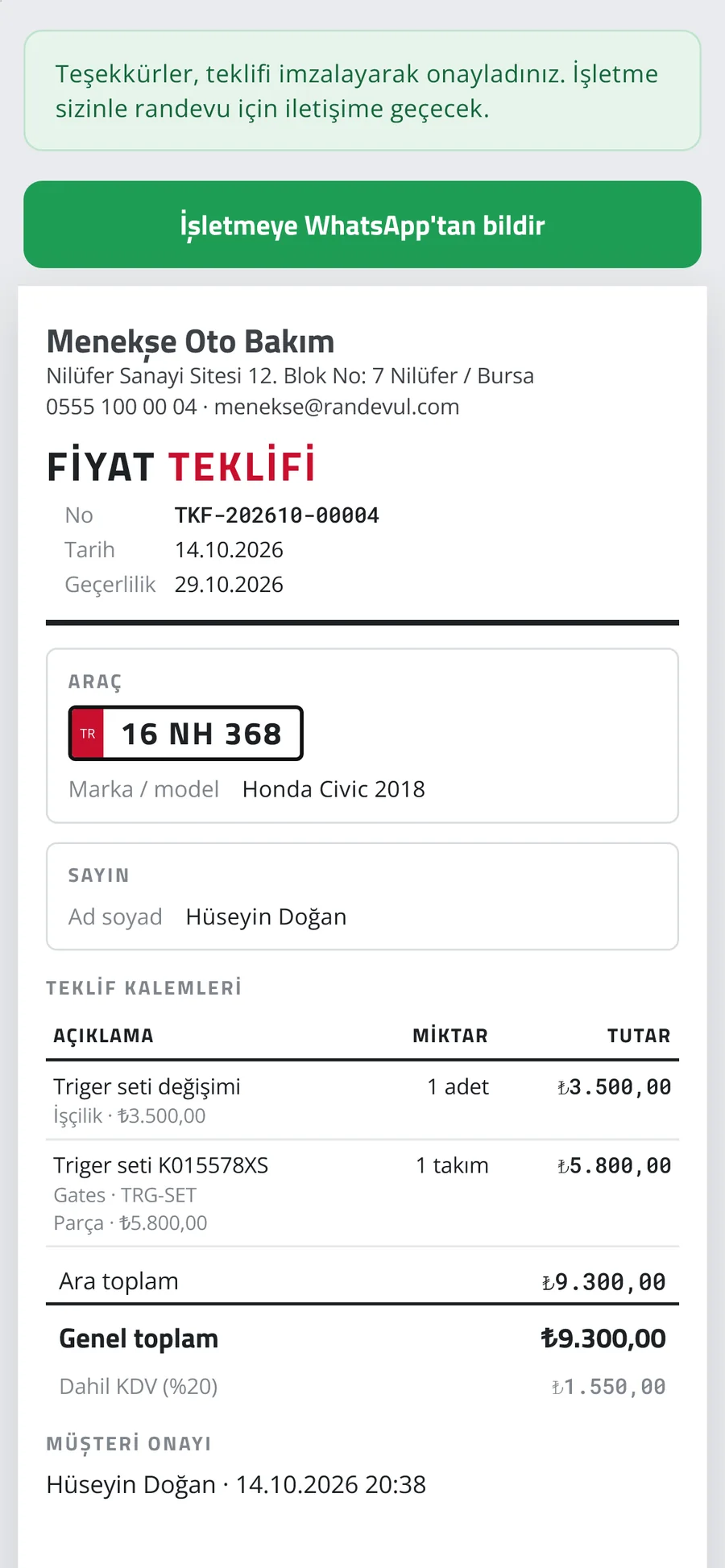
Quotes are sent via WhatsApp or SMS; the customer sees the items on their phone and approves by typing their name and signing with a finger. An approved quote becomes a work order in one click.

  • Labour, parts and package items, VAT and discounts
  • Signed quote PDF stored for both sides
  • Instant notification on approval or rejection
  • A4 quote printout with approval QR
Randevul — Quotes and signed approval
Randevul — Quotes and signed approval 1
Randevul — Quotes and signed approval 2
Randevul — Quotes and signed approval 3
04

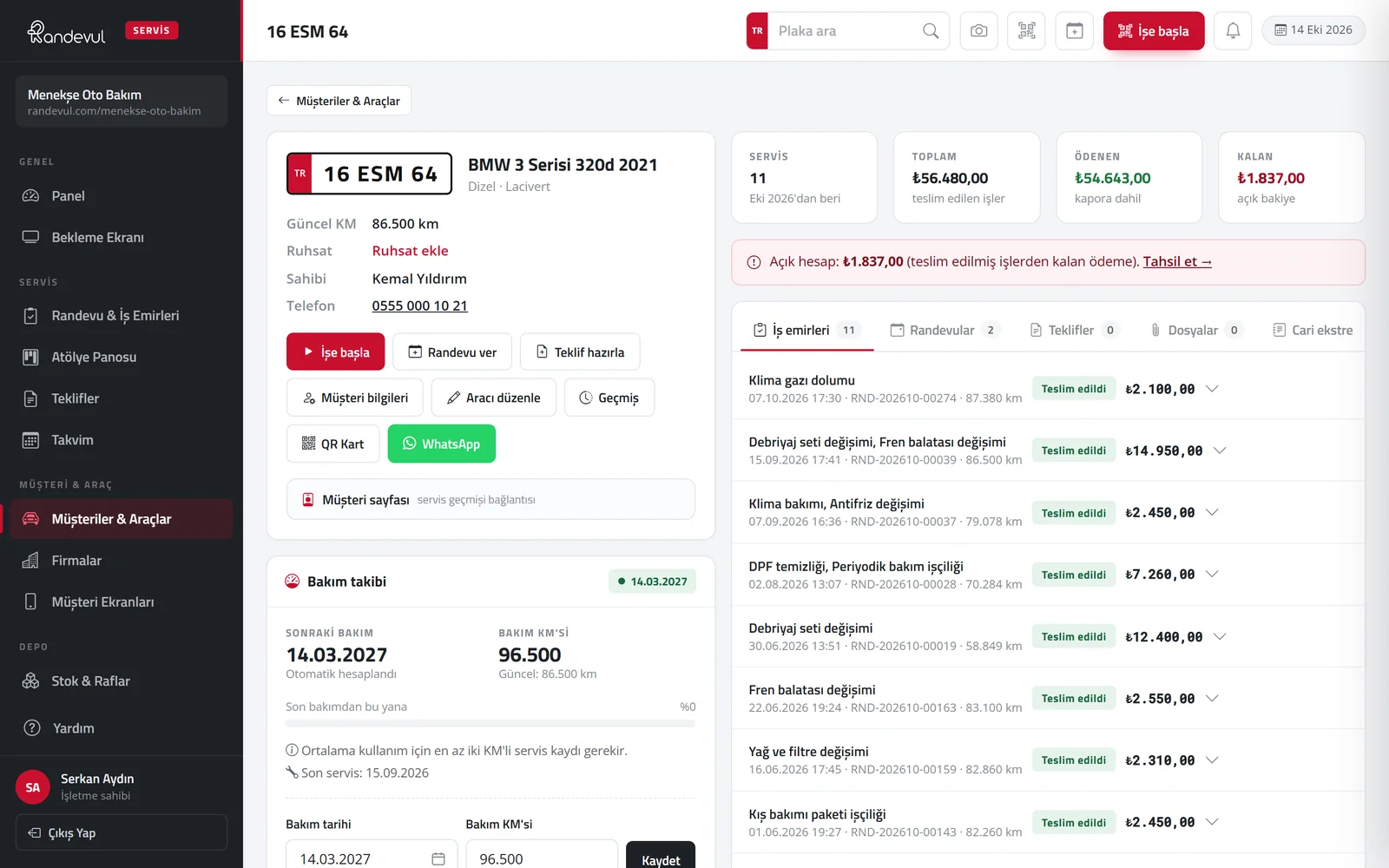
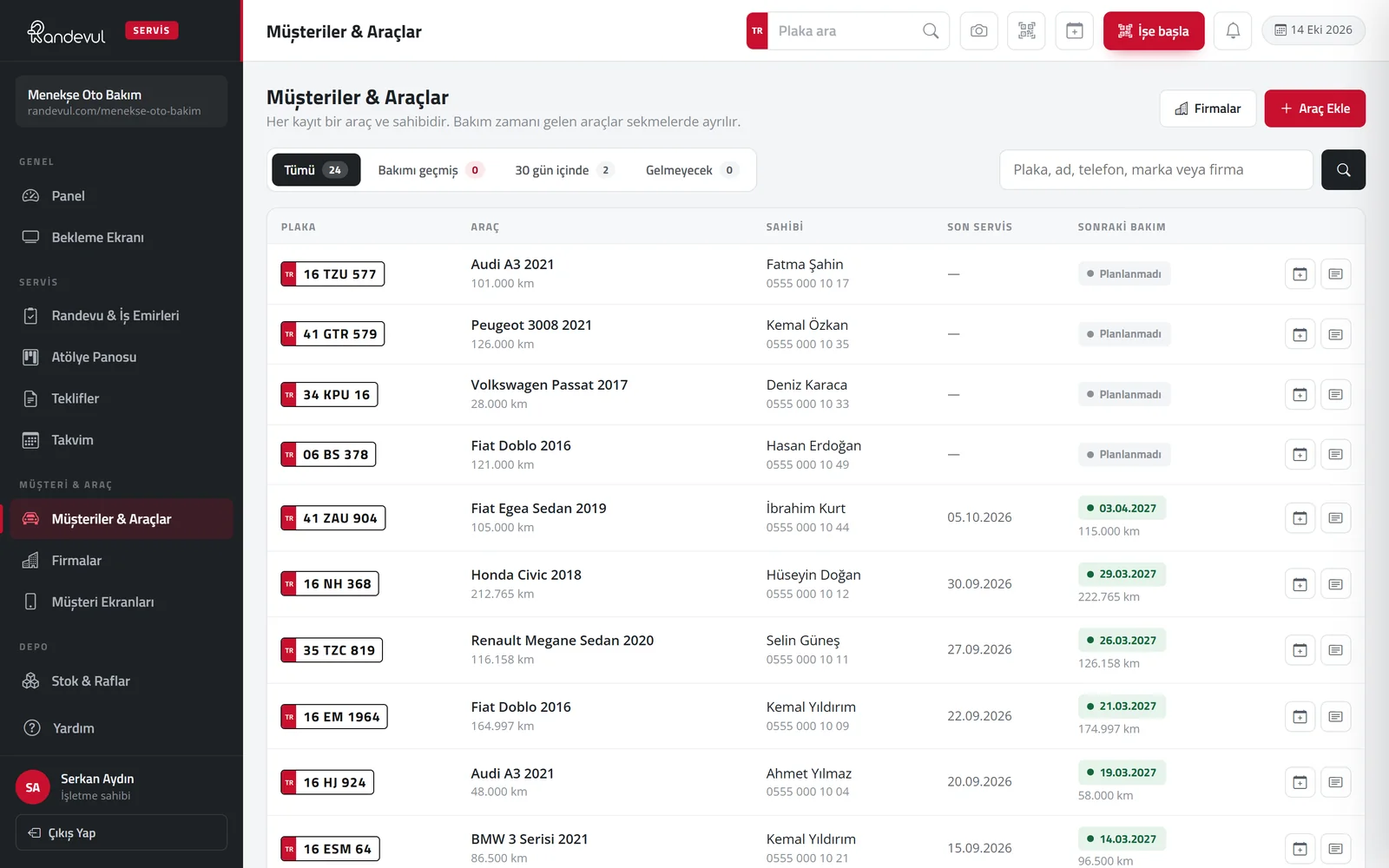
Vehicle card, QR service card and reminders

Each vehicle’s service history, payments and account statement on one card. The next service is tracked by both mileage and date; when it’s due, the customer is notified by SMS and WhatsApp.

  • Plate-specific 8 × 5 cm QR service label
  • Overdue and upcoming service lists
  • Fleet (company) customers and account tracking
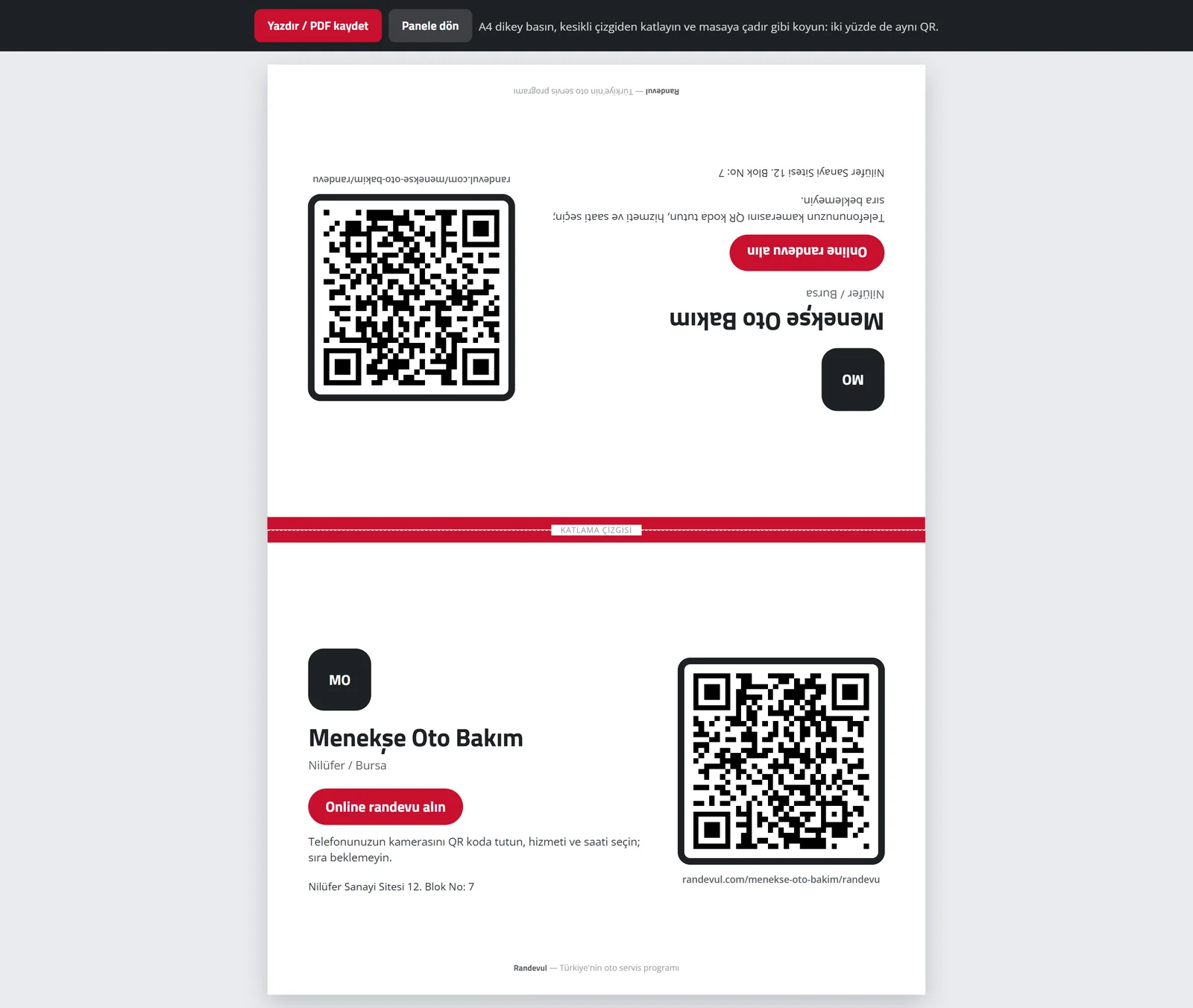
  • Foldable A4 QR table card for online booking
Randevul — Vehicle card, QR service card and reminders
Randevul — Vehicle card, QR service card and reminders 2
Randevul — Vehicle card, QR service card and reminders 3
05

Customer experience

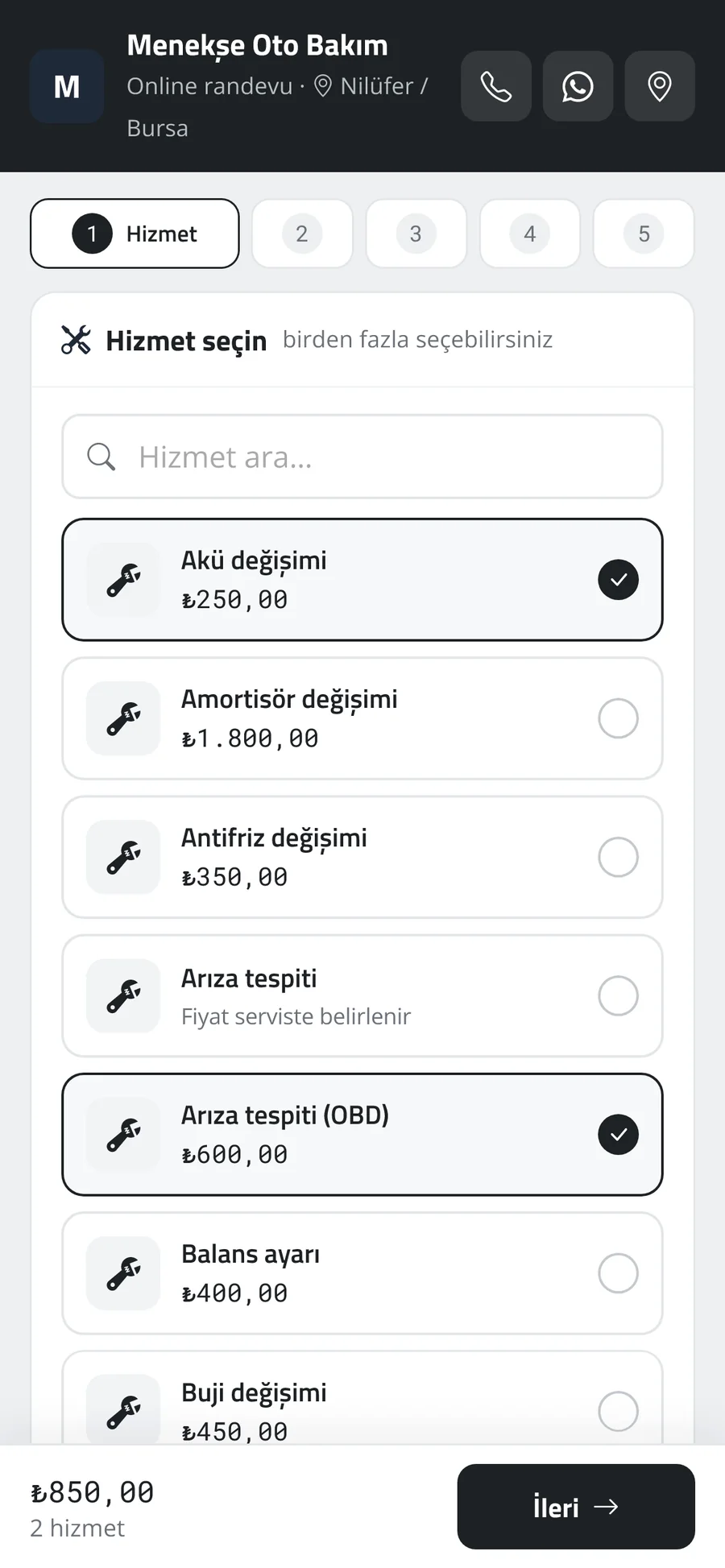
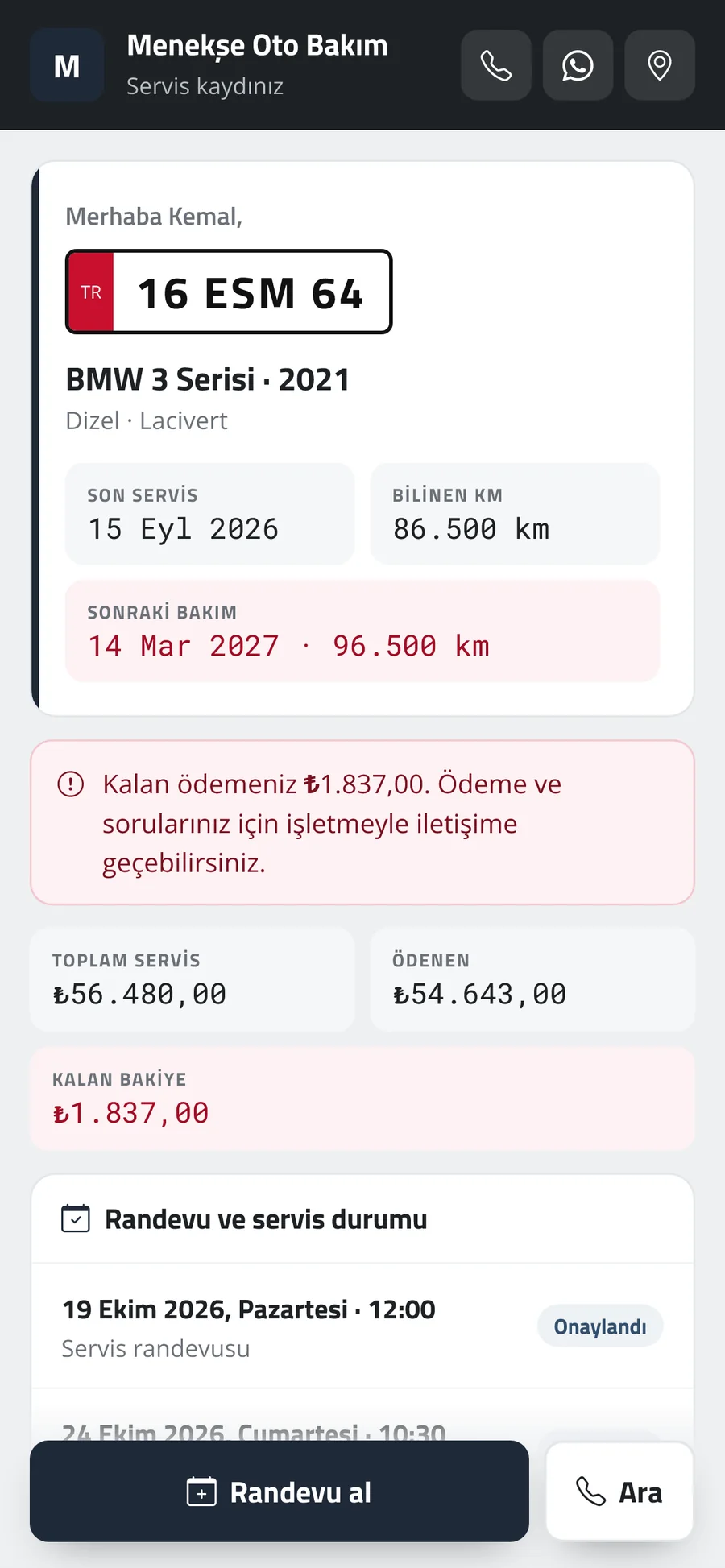
Customers book by choosing a service and time on the business’s own page, and see service history, next service and outstanding balance on their vehicle page. No app download needed.

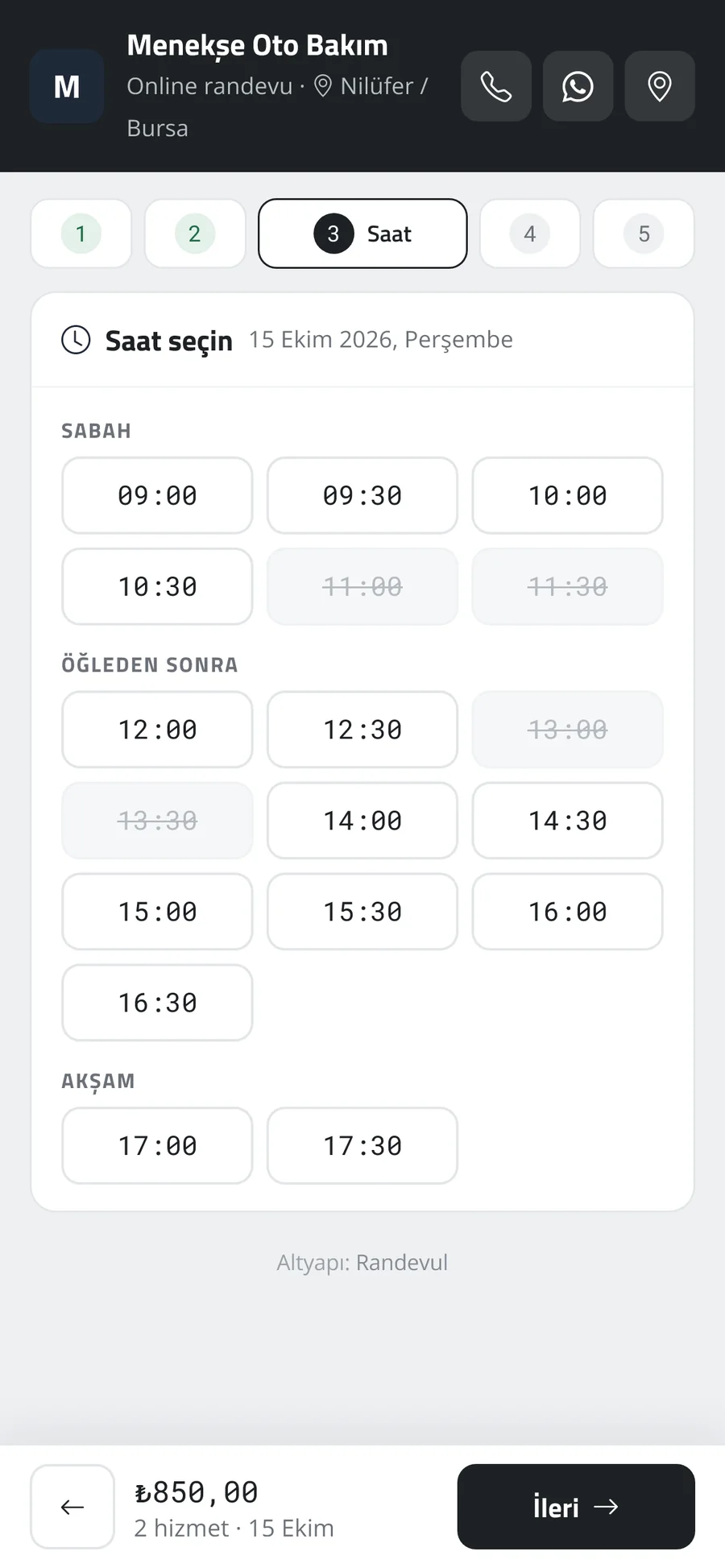
  • Online booking in 5 steps with SMS code verification
  • Lift-based capacity: full slots can’t be picked
  • Vehicle page shared via SMS, WhatsApp or QR
  • Next and ready vehicles on the waiting room screen
Randevul — Customer experience 1
Randevul — Customer experience 2
Randevul — Customer experience 3
06

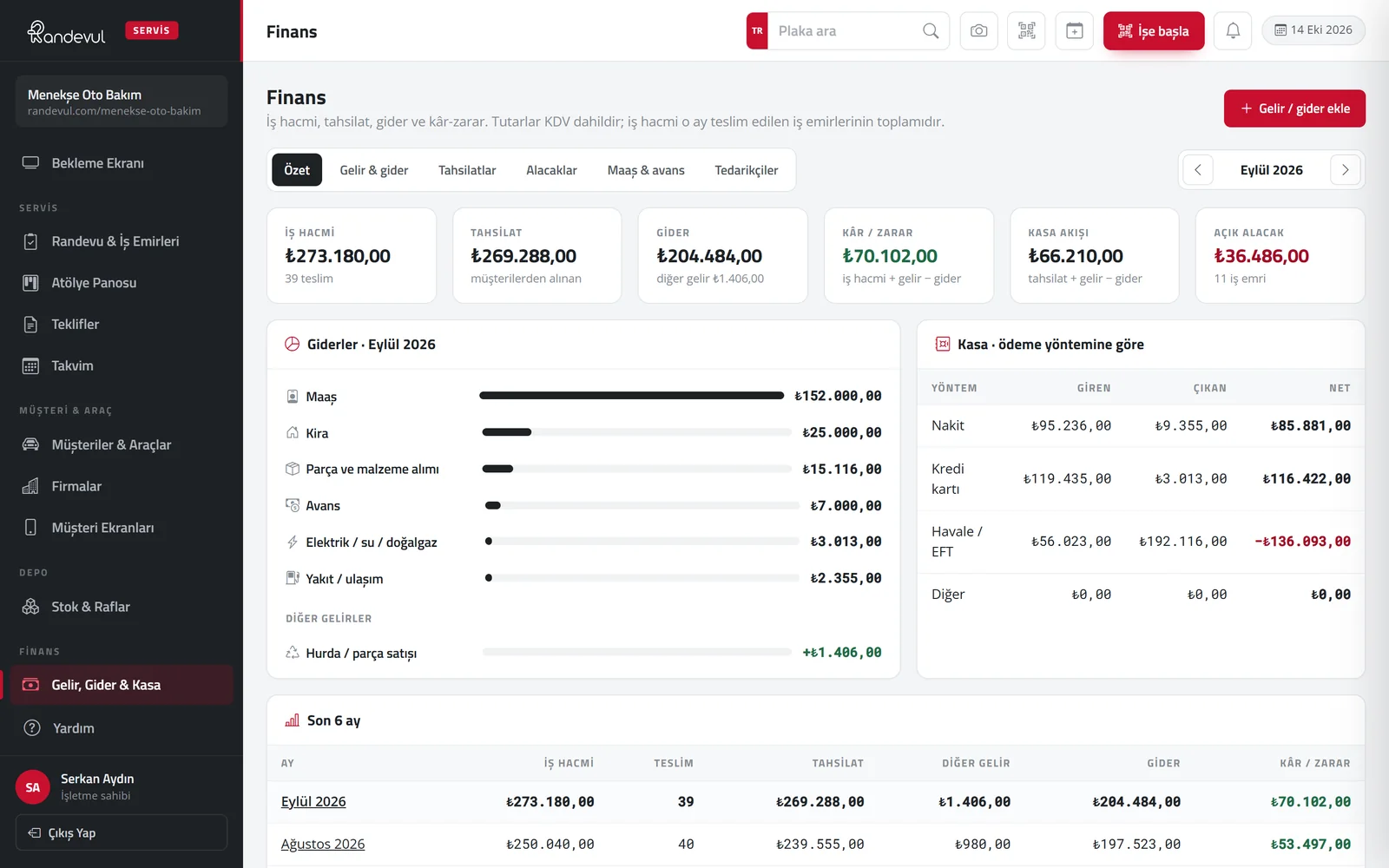
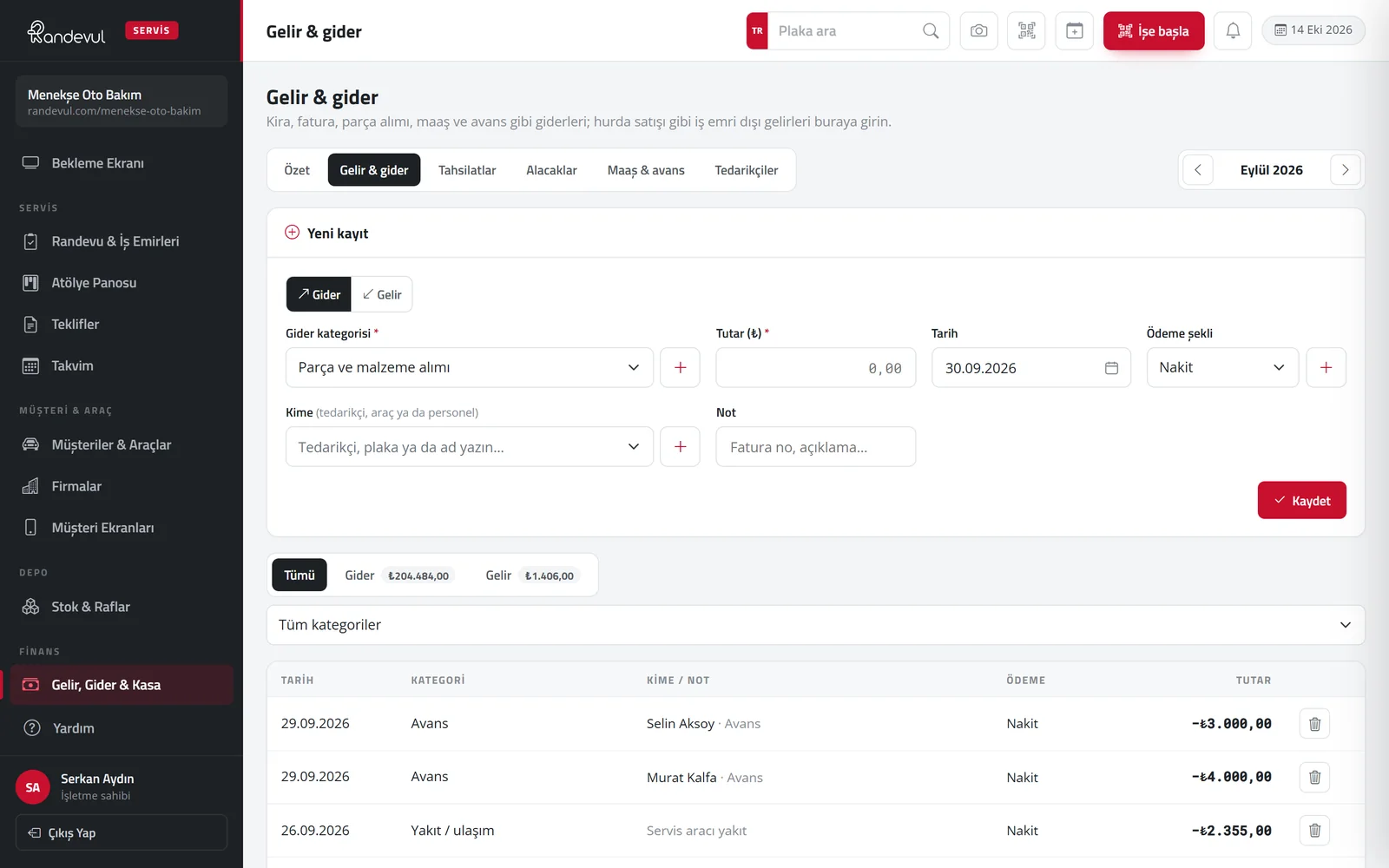
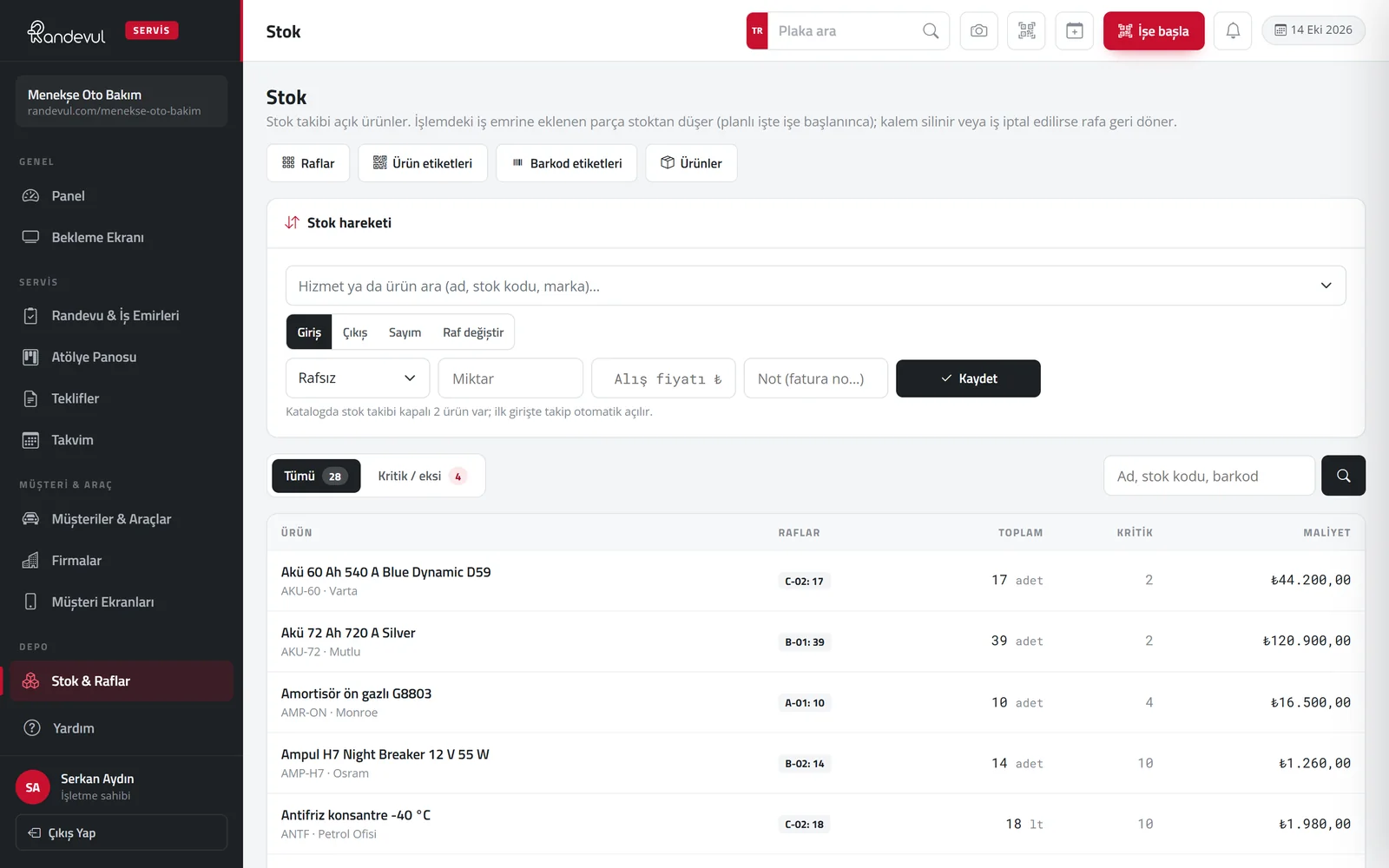
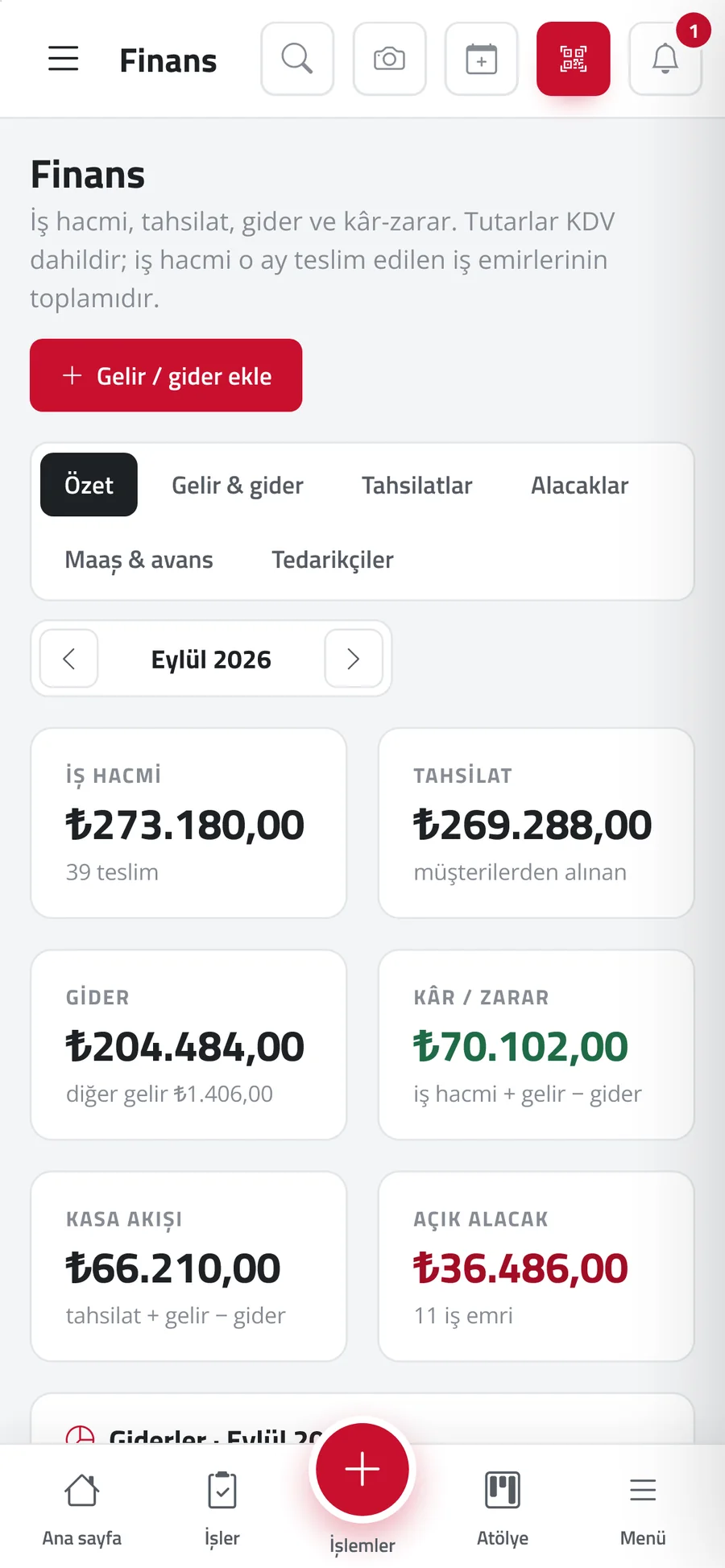
Finance, stock and shelves

Revenue, collections, expenses, profit and open receivables in a monthly summary. Parts are tracked by shelf location; parts added to a work order are deducted from stock automatically.

  • Income & expenses, cash, collections and credit sales
  • Salaries, advances and supplier accounts
  • Shelf-based stock, counts and low-stock alerts
  • Excel import / export, barcode / QR labels
Randevul — Finance, stock and shelves
Randevul — Finance, stock and shelves 2
Randevul — Finance, stock and shelves 3
07

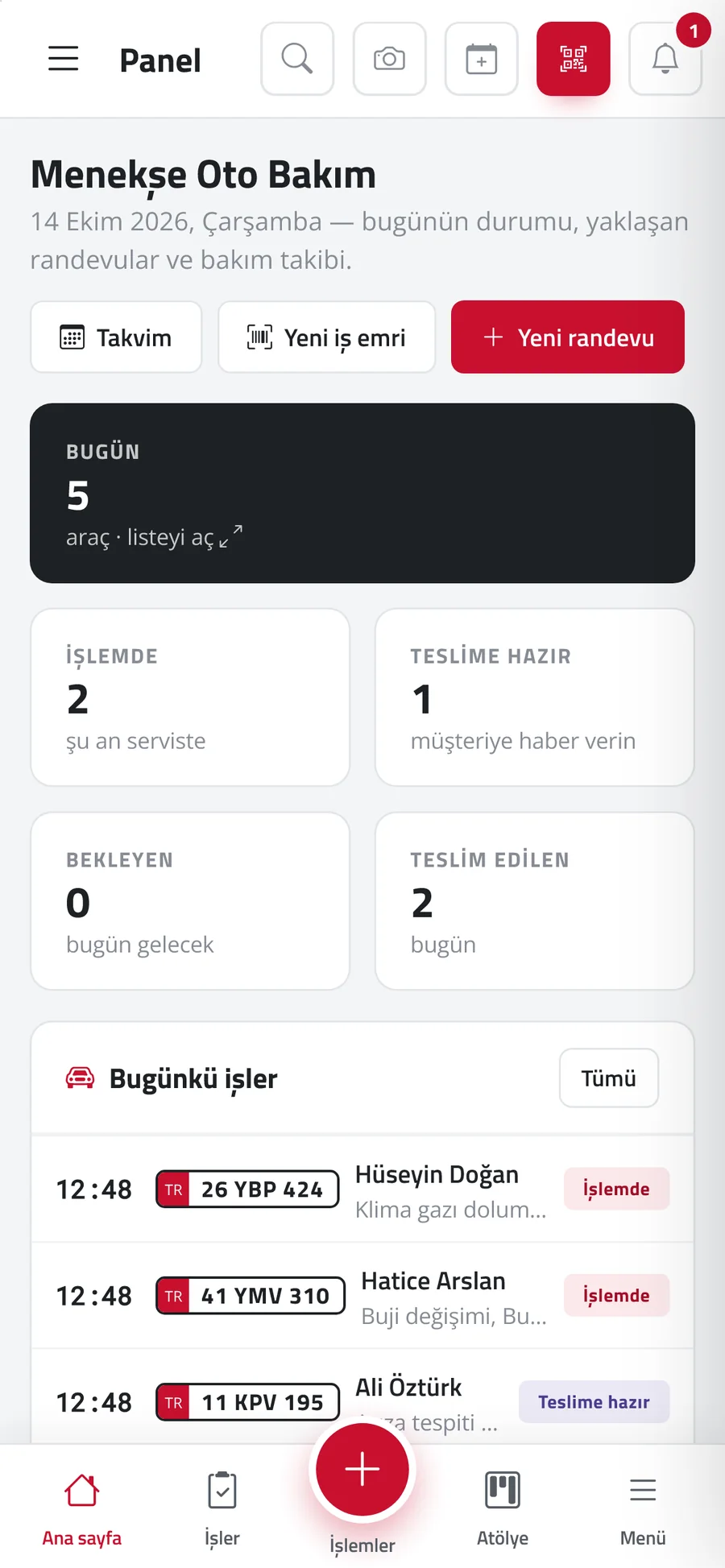
On phone and tablet

Every screen adapts to phone and tablet. Added to the home screen, it opens like an app and receives notifications; the camera reads plates, registrations, QR codes and barcodes.

  • PWA: no app store needed
  • Instant notifications for new bookings and quote approvals
  • Quick navigation with the bottom menu on phones
  • Staff roles, permissions and performance reports
Randevul — On phone and tablet 1
Randevul — On phone and tablet 2
Randevul — On phone and tablet 3
Who it’s for

Ready setup for the whole automotive trade.

At sign-up you choose one of 25 business types; services, technician roles, modules and mileage tracking come ready for that type. Suitable from one-person workshops to multi-lift service centres.

  • Mechanical maintenance & repair
  • Authorised / independent service
  • Body & paint
  • Auto electrics & electronics
  • Tyres & wheel alignment
  • Brakes & suspension
  • Exhaust & gearbox
  • Car air conditioning
  • Radiator & cooling
  • Batteries & charging systems
  • Engine reconditioning & machining
  • Turbo, injectors & diesel pumps
  • LPG / CNG conversion
  • Electric & hybrid vehicles
  • Heavy vehicle service
  • Motorcycle service
  • Auto glass
  • Window film & wrapping
  • Upholstery & interior
  • Accessories & multimedia
  • Car locks & keys
  • Car wash & detailing
  • Vehicle inspection
  • Spare parts & fitting
Security

Your data is safe.

  • Each business’s data is separate and isolated
  • Logins recorded with IP address and device
  • Every change visible in history with person and time
  • Deleted records stay in the bin for 60 days
  • Roles and permissions: staff see only what they’re allowed
  • Phone verified by SMS code for online bookings
  • Database backed up every night
FAQ

Frequently asked questions.

Service management software for automotive businesses such as car services, body & paint, tyre, auto electrics and car wash, bringing online booking, vehicle check-in, service history and maintenance tracking into one panel.

All automotive businesses that work by appointment (25 types), including mechanics, body & paint, auto electrics, tyres and alignment, car wash and vehicle inspection. The customer’s identity is the plate.

No. You choose your business type at sign-up; services, staff roles, modules and mileage tracking come ready. There is no technical installation.

The plate is captured with a phone or tablet camera; the system reads it, the user confirms and the vehicle record opens. Scanning the registration fills in the vehicle details automatically.

The quote link is sent via WhatsApp or SMS; the customer approves on their phone by typing their name and signing with a finger, or rejects with a reason. The signed document is stored.

It is a plate-specific QR label stuck on the vehicle; when scanned it shows service history, fitted parts, last mileage and next service date.

Seven days of free use with sample data suited to your business type; no credit card required. When you subscribe, demo data is deleted in one click and your own records are kept.

Each business’s data is separate; logins are recorded with IP address and changes with who / when; deleted records stay in the bin for 60 days; the database is backed up every night.

Yes. It opens in the browser, works like an app when added to the home screen and receives notifications; the camera reads plates, registrations and QR codes.

Create a demo account

7 days free · no credit card required

Related articles

Ready for your next project.

Tell us about your idea — after a free discovery call, we’ll send a clear roadmap and proposal within 24 hours.