DijiText
DijiText ProductsCep PDKS

Don’t buy a device to track attendance.

No devices or cards: staff scan the QR poster at the entrance with their phone, the location is verified and the record lands in your dashboard instantly. Free forever for up to 5 employees.

Free forever for up to 5 employees · no credit card · first scan in 10 minutes

cepdks.dijitext.com
Cep PDKS — Staff check-in/out tracking with QR and location verification

Cep PDKS is the staff attendance tracking system (PDKS) DijiText built for small and mid-sized businesses. You mark your workplace on a map, set a radius, print the QR poster and hang it at the entrance, then invite staff via WhatsApp with one tap. Staff scan the QR every day; their location is taken once, only at the moment of scanning, and the record is rejected outside the radius. The dashboard shows who is inside right now, who is late and who forgot to check out; at month end the timesheet, overtime and missing days arrive already calculated, exportable as Excel and PDF. There is a kiosk tablet for staff without phones, branch managers for multiple locations and a read-only access link for your accountant. No app store needed: it runs as a web app added to the home screen on Android and iPhone.

Key features

  • Free forever for up to 5 employees; no credit card
  • No devices, cables or cards; 10-minute setup
  • Check-in/out with location-verified, signed QR
  • Live “inside now” list, late and missing check-out alerts
  • Monthly timesheet: hours worked, overtime, missing days
  • Accountant-ready Excel and PDF export
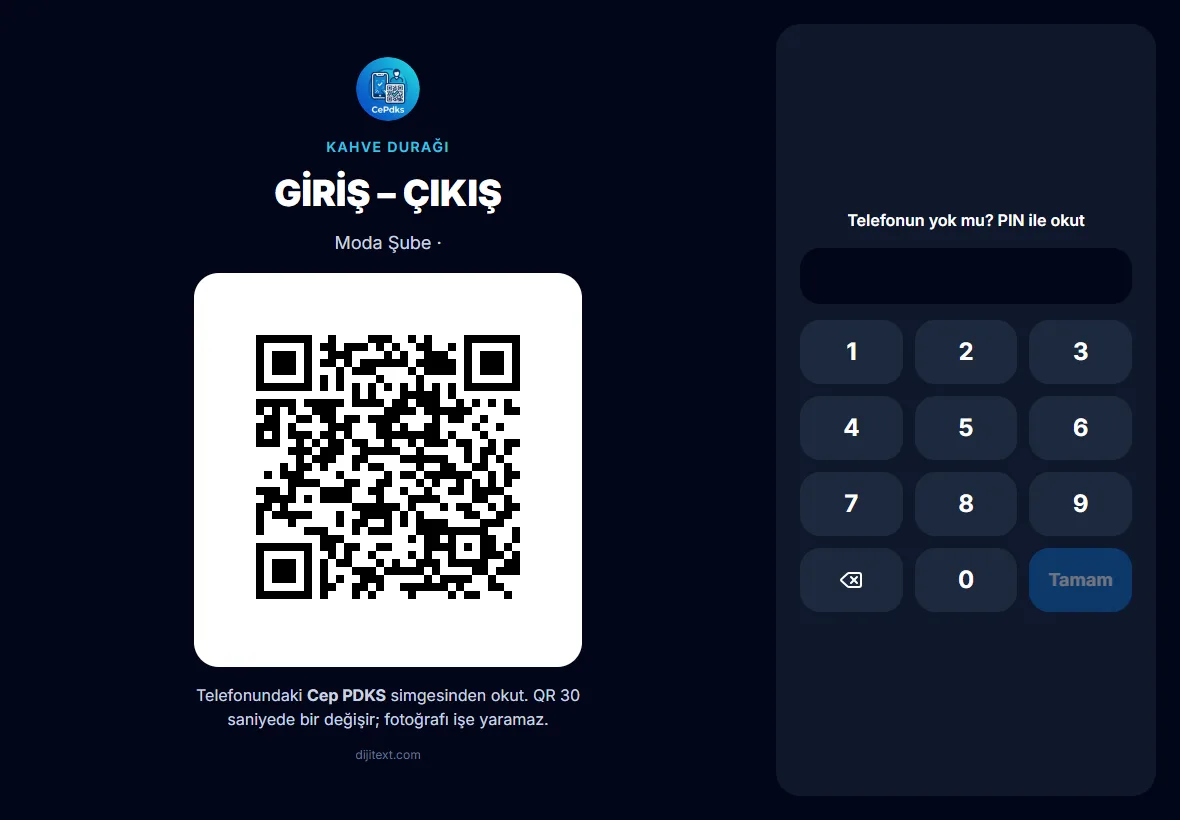
  • Kiosk mode: QR that changes every 30 seconds on a tablet, plus PIN
  • Branch managers and individual shift schedules
  • Password-free, read-only, revocable link for your accountant
  • No coordinates stored; no continuous tracking, no biometrics
Start for free
Sound familiar?

Make attendance tracking a non-issue

Before Cep PDKS

Installation, cabling and service costs for a fingerprint device or card system.

With Cep PDKS

No devices or cards: a QR poster at the entrance and each employee’s own phone are enough.

Before Cep PDKS

Phone calls every morning to find out who has arrived.

With Cep PDKS

The dashboard shows live who is inside and who is late.

Before Cep PDKS

At month end the timesheet is compiled by hand from paper lists and sent to the accountant.

With Cep PDKS

Timesheet, overtime and missing days are ready; your accountant downloads the Excel file directly.

Before Cep PDKS

Staff signing in for a colleague or texting “I’m here” from home.

With Cep PDKS

Location verification, a phone bound to one person and a signed QR work together.

How it works

Get started in four steps

  1. 01

    Mark your workplace

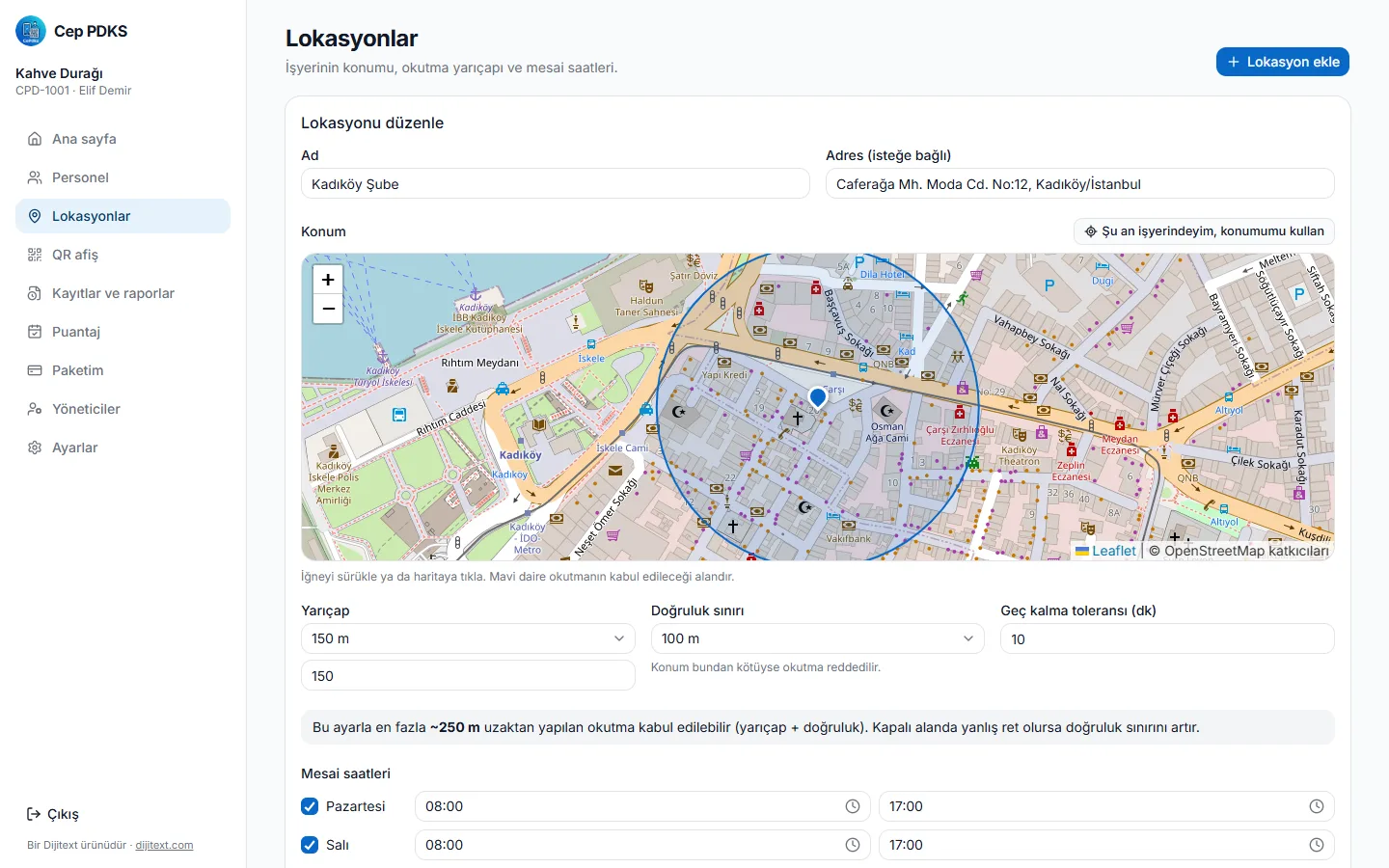
    Pick the location on a map and set the radius (50 m – 2 km). You can add multiple branches.

  2. 02

    Hang the QR poster

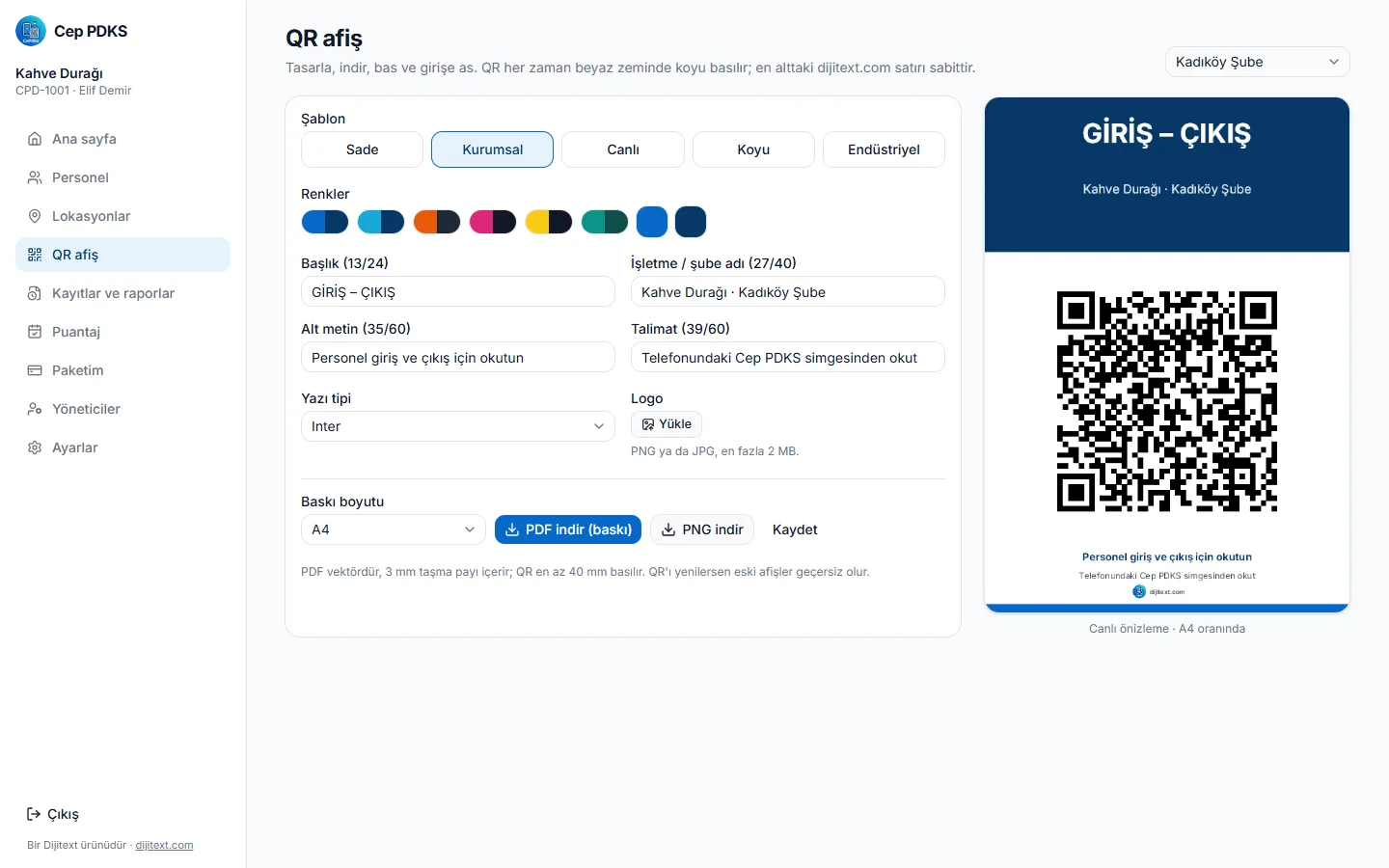
    Customize one of five templates with your color and logo; print the PDF and hang it at the entrance.

  3. 03

    Invite your staff

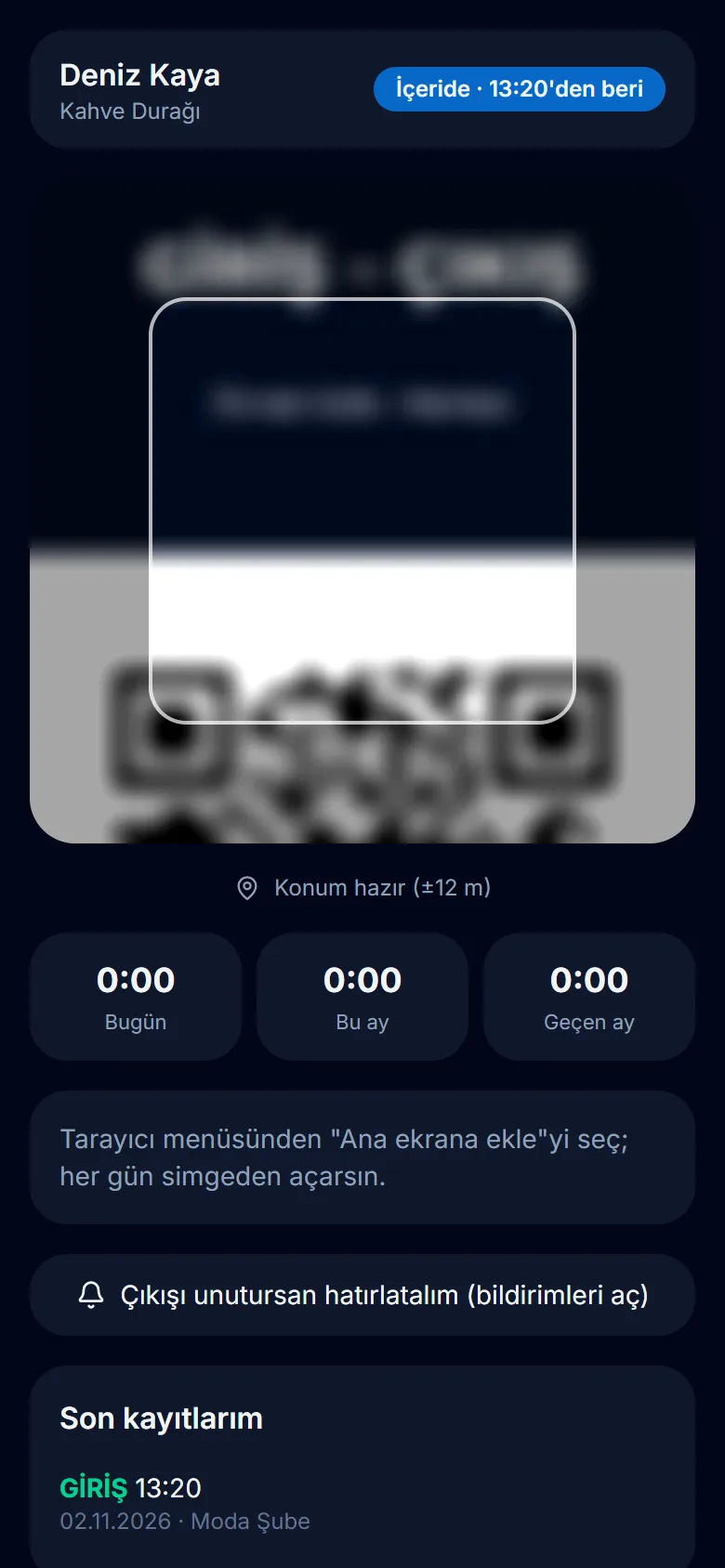
    One-tap invite via WhatsApp. Staff link their phone once and the app is added to the home screen.

  4. 04

    Records arrive automatically

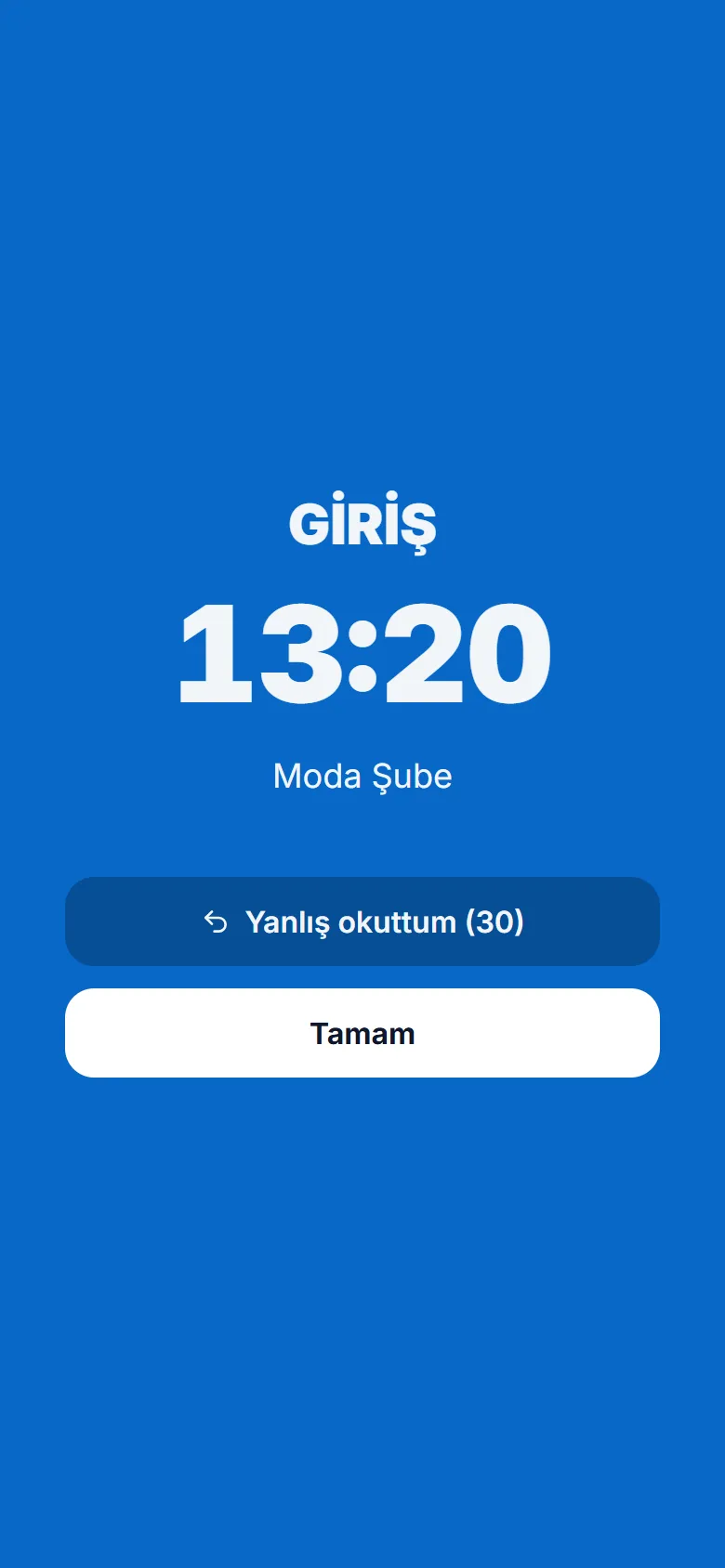
    Staff scan the QR, the location is verified and the record lands in your dashboard instantly.

Features

Everything attendance tracking needs, in one dashboard

01

10-minute setup

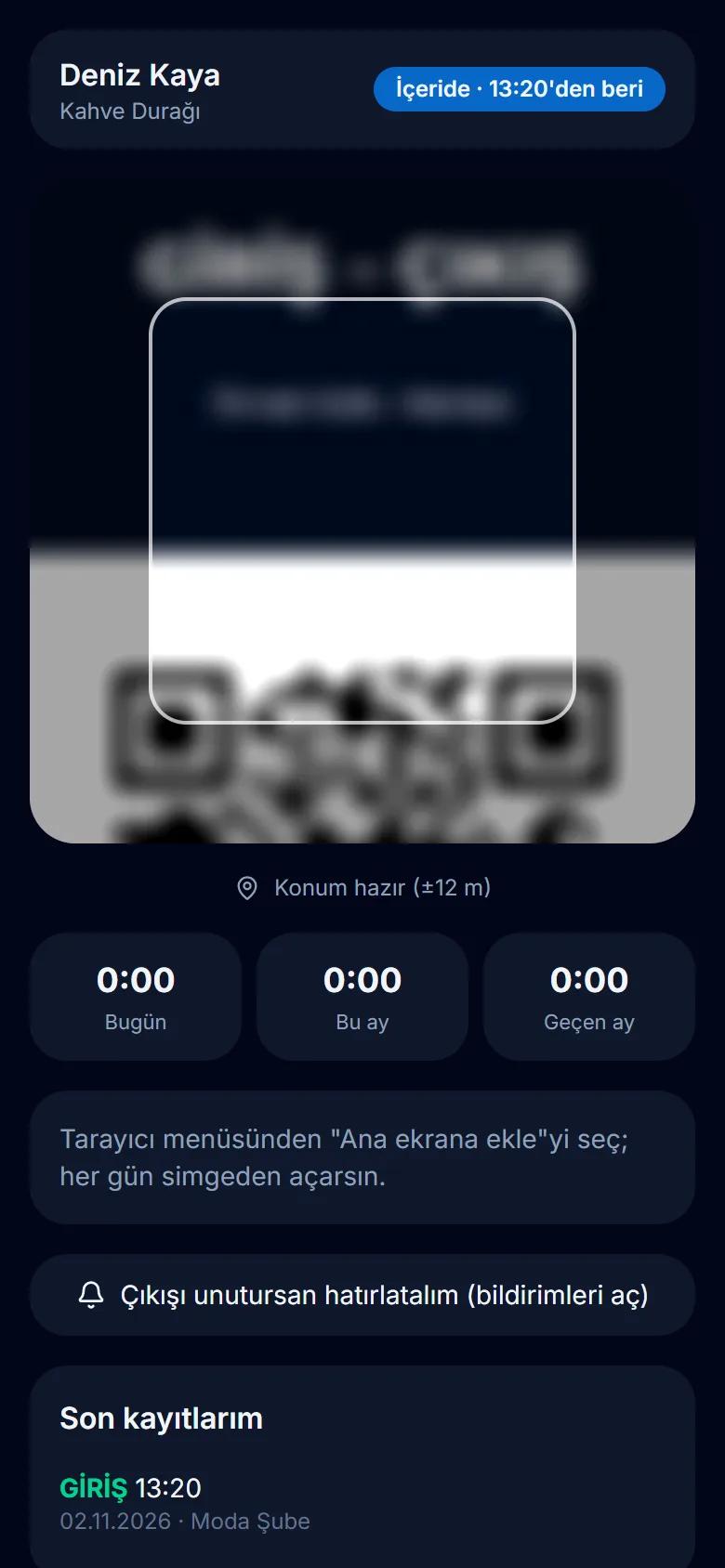
Mark your workplace on the map, set the radius and design your QR poster. Staff open the invite link, add the app to their home screen and tap the icon to scan each day.

  • Location on a map with a 50 m – 2 km radius
  • 5 poster templates: color, logo, vector PDF
  • One-tap invite via WhatsApp
  • No app store (PWA)
  • Works on Android and iPhone
  • Reminder for forgotten check-outs
Cep PDKS — 10-minute setup
Cep PDKS — 10-minute setup 2
Cep PDKS — 10-minute setup 1
Cep PDKS — 10-minute setup 2
02

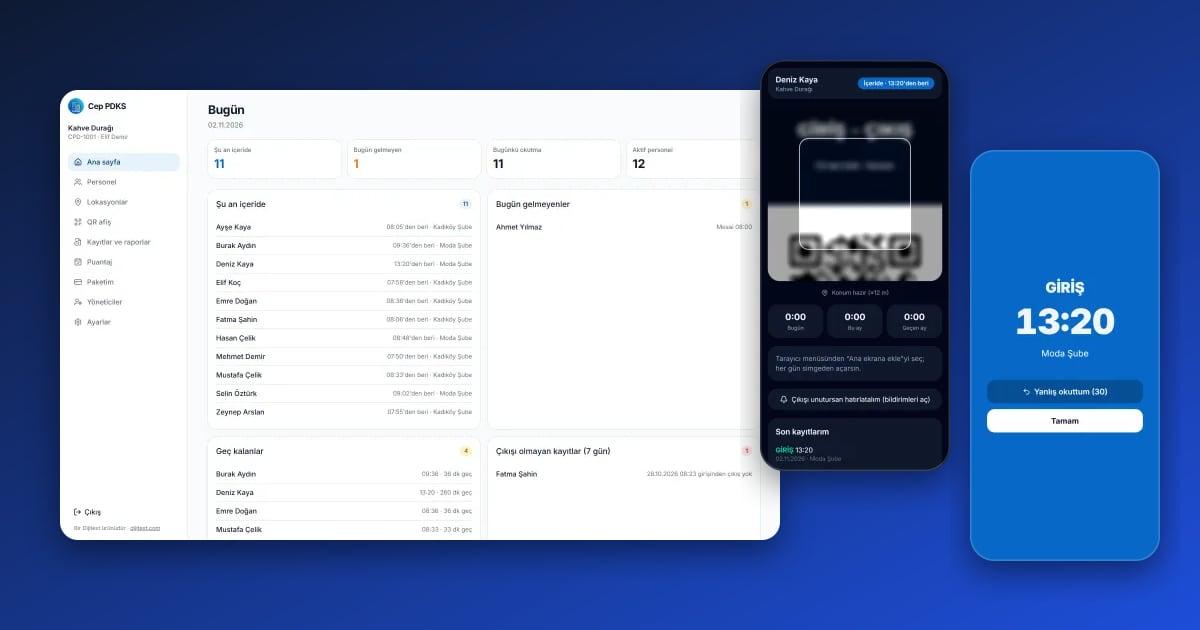
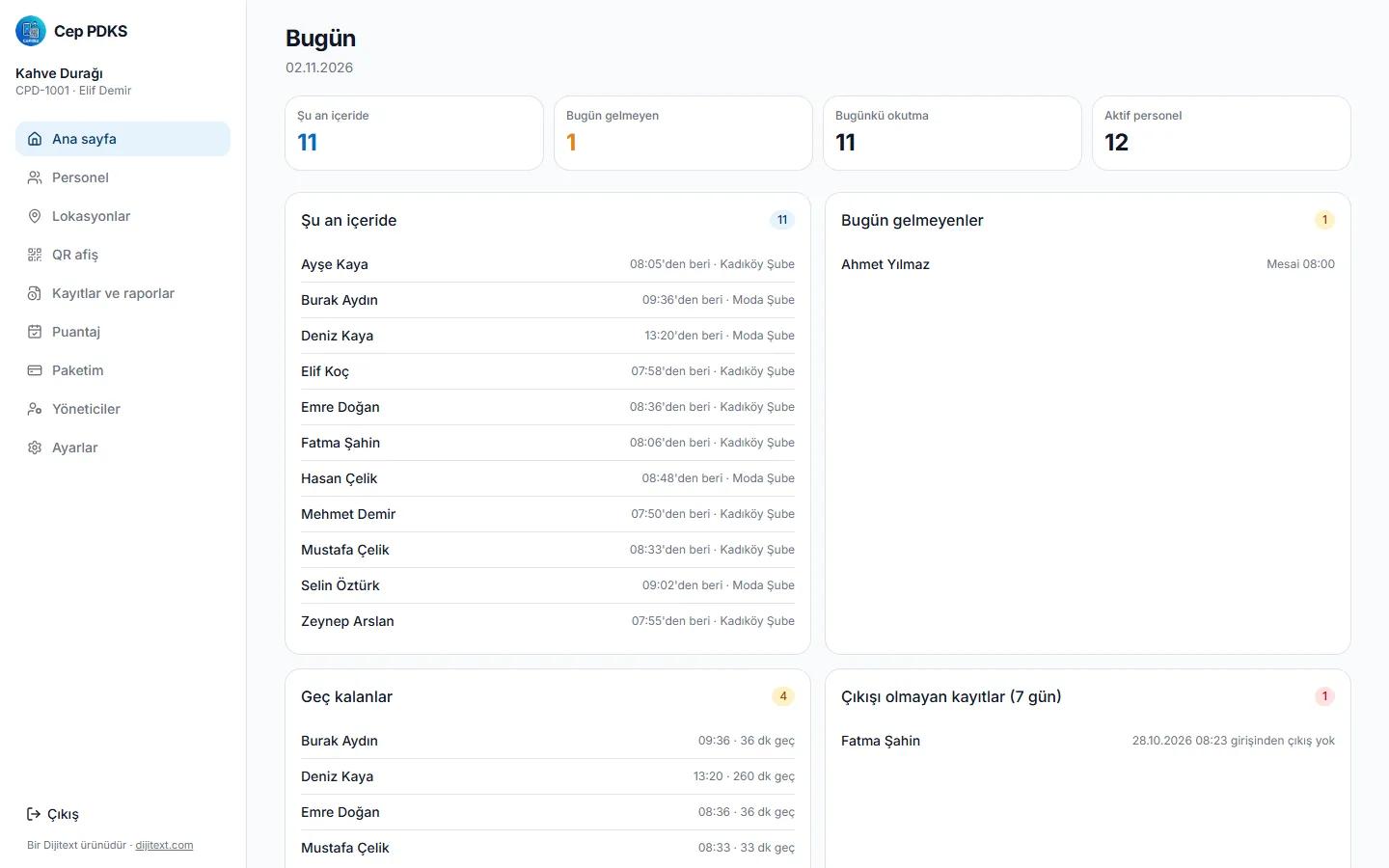
All branches in one dashboard

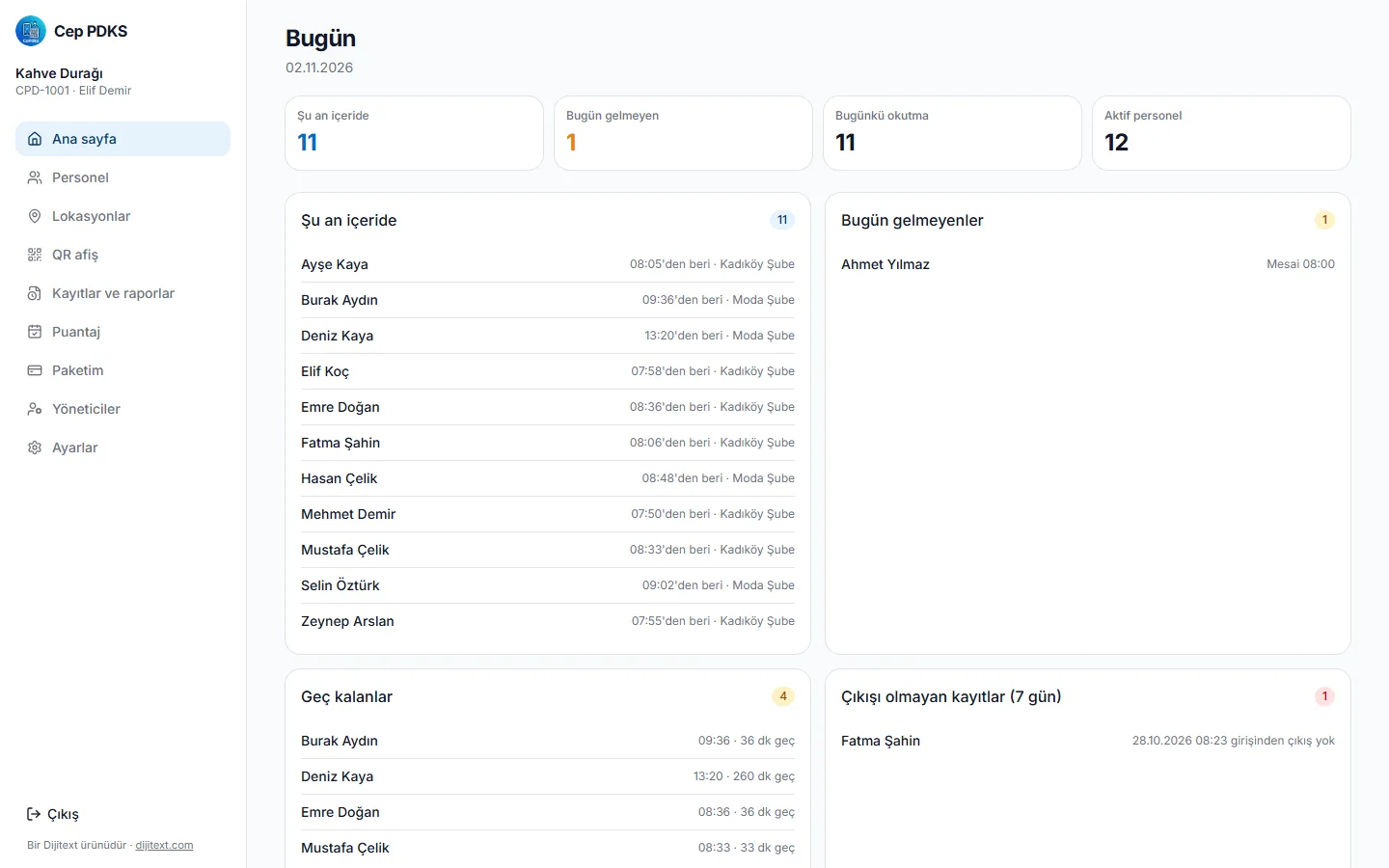
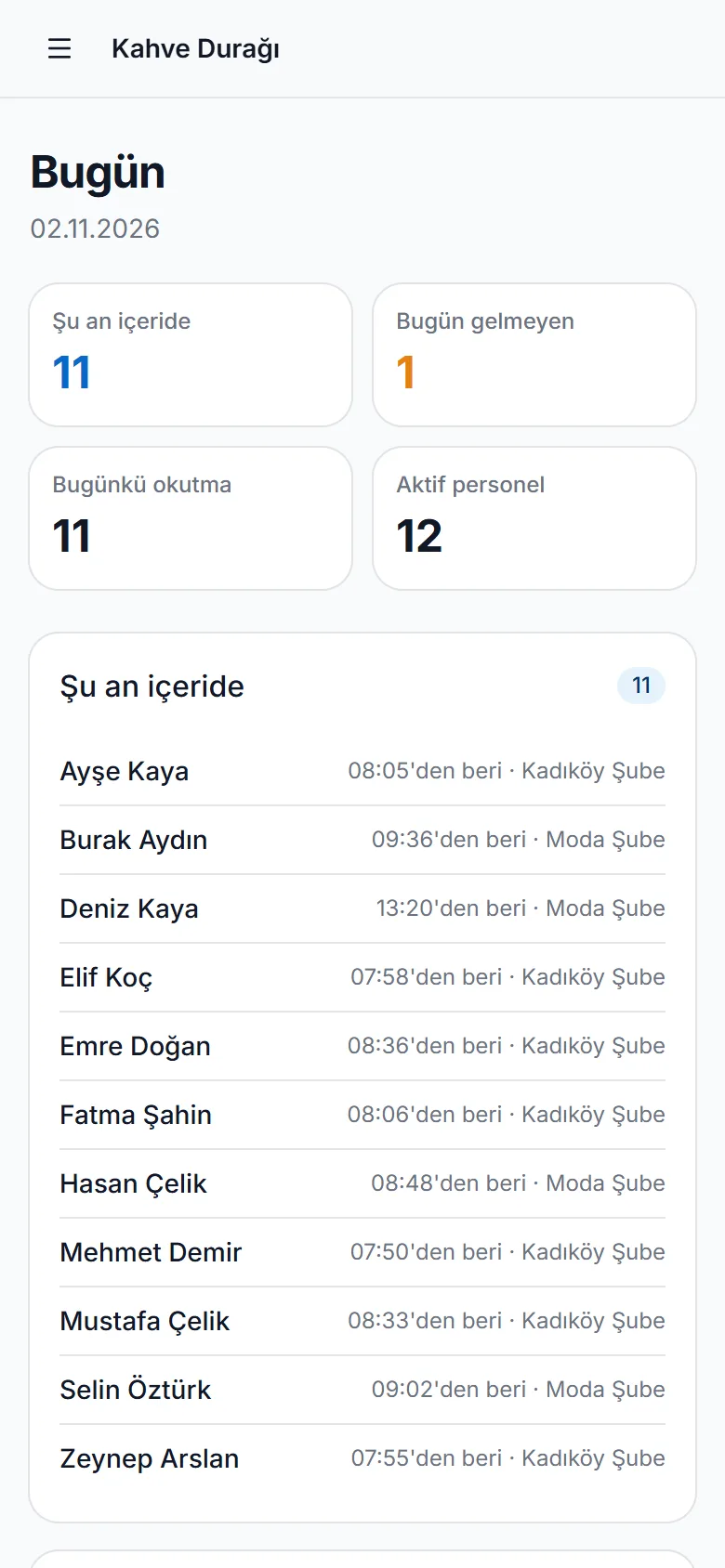
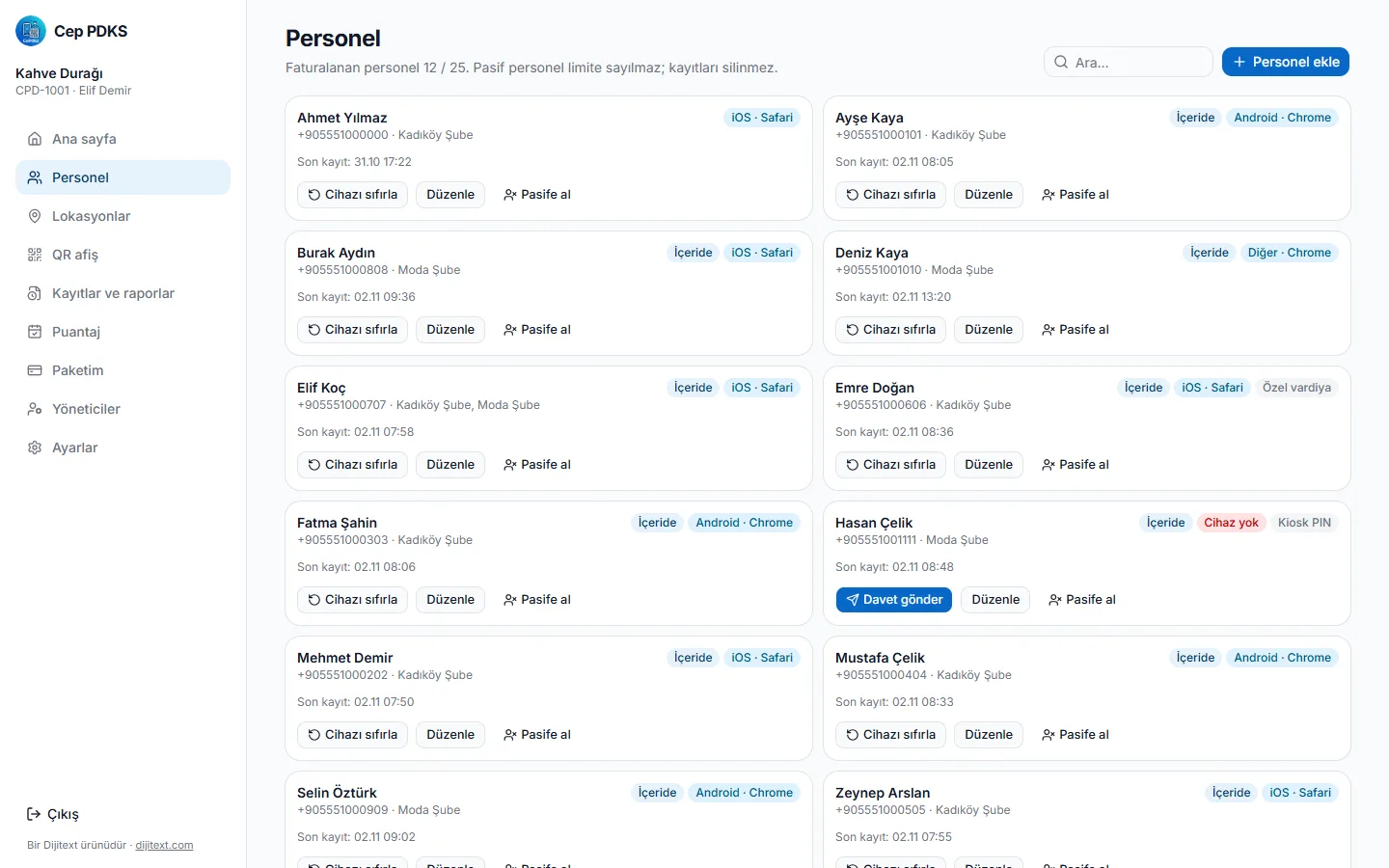
See who arrived, who is late and who forgot to check out without asking around. Staff without phones enter a PIN on the tablet at the entrance.

  • Live “inside now” list
  • Late and missing check-out alerts
  • Individual weekly shifts
  • Manual entries with a reason (leave a trail)
  • Branch managers see only their branch
  • Kiosk: QR changing every 30 s, plus PIN
Cep PDKS — All branches in one dashboard
Cep PDKS — All branches in one dashboard 2
Cep PDKS — All branches in one dashboard 3
Cep PDKS — All branches in one dashboard 1
03

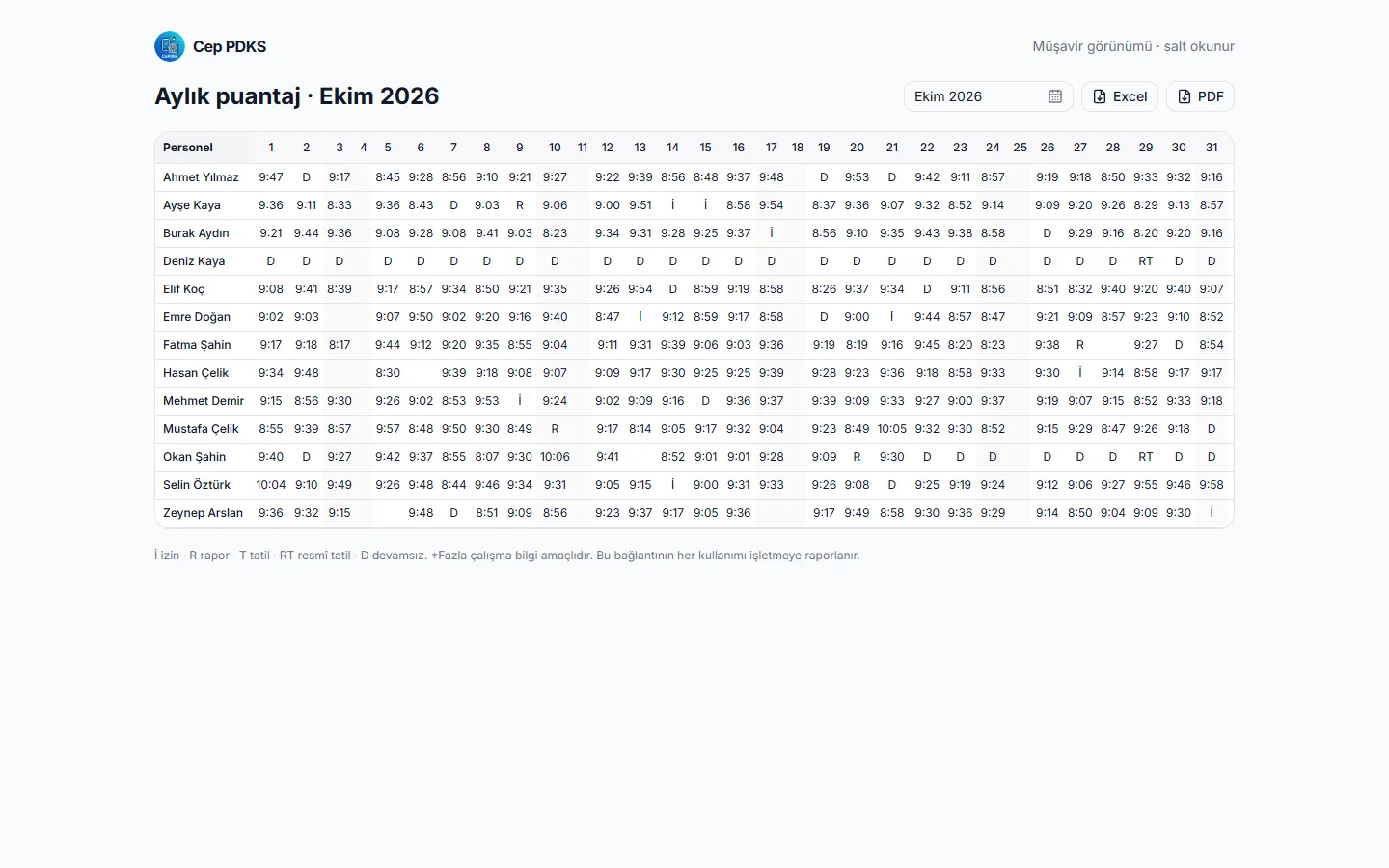
Month-end timesheet, ready

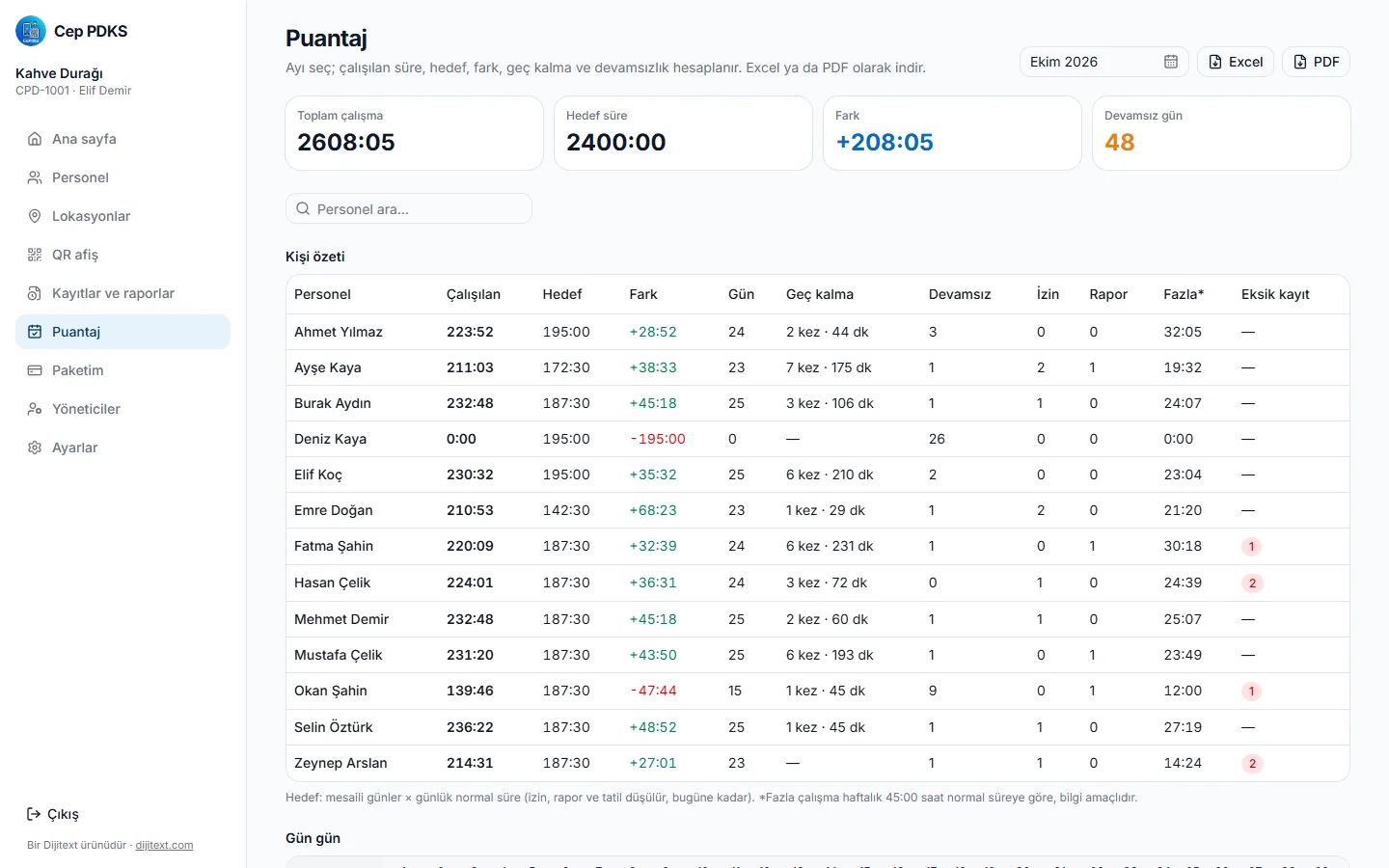
Daily hours, overtime, lateness and missing days arrive calculated. Give your accountant access through a read-only link without creating an account.

  • Monthly timesheet and weekly overtime calculation
  • Accountant-ready Excel and PDF
  • Rejected attempts and their reasons
  • Password-free, revocable link for your accountant
  • Your accountant sees only the timesheet
  • Weekly summary notification
Cep PDKS — Month-end timesheet, ready
Cep PDKS — Month-end timesheet, ready 2
Who is it for?

For every business with staff

From cafés and restaurants to construction sites, from shops to cleaning crews; from a single branch to multi-branch operations.

  • Cafés and restaurants
  • Shops
  • Auto service and workshops
  • Construction sites
  • Cleaning crews
  • Boutiques and hair salons
  • Offices
  • Multi-branch businesses
Security and privacy

“Can they scan from home?” No.

  • Location is mandatory; outside the radius both check-in and check-out are rejected. Old or cached locations are not accepted.
  • Each employee’s phone is bound to one person; they can’t scan for a colleague, and changing phones needs approval.
  • The QR is signed and can’t be forged; when you renew it, the old one is invalid instantly. An optional workplace network requirement can be added.
  • Location is taken once, only at the moment of scanning; only the distance to the workplace (in meters) is stored, not coordinates.
  • No face, fingerprint or selfie is required; no biometric data is processed.
  • Records can’t be deleted; corrections are made with an additional entry and a reason, visible to the employee.
FAQ

Cep PDKS: frequently asked questions

It is free forever for up to 5 employees, no credit card needed. As your team grows you choose a plan with no commitment; current plans are listed on cepdks.dijitext.com.

No. Staff scan the QR poster at the entrance with their own phone. For staff without phones, you can place a tablet at the entrance and use kiosk mode.

No. Each scan requires a fresh location and records outside the radius are rejected; the phone is bound to one person and the QR is signed. Browsers can’t fully detect fake-location apps, so suspicious records are flagged; that’s why we don’t claim a “100% guarantee”.

No. Location is taken once, at the moment of scanning, and no coordinates are stored; only the distance to the workplace is saved in meters. No biometric data is requested.

No. Staff open the invite link and add the app to their home screen. It works on Android and iPhone.

You give your accountant a password-free, read-only link that you can revoke at any time. They see the monthly timesheet and download it as Excel and PDF themselves.

Yes. You add each branch as a separate location; branch managers see only their own branch’s staff and records.

The Cep PDKS business dashboard and staff app are in Turkish.

Yes. As DijiText, the team behind Cep PDKS, we build custom software, CRM, websites and AI-powered solutions. Reach us on WhatsApp or via the contact form.

Start for free

Free forever for up to 5 employees · no credit card · first scan in 10 minutes

Related articles

Ready for your next project.

Tell us about your idea — after a free discovery call, we’ll send a clear roadmap and proposal within 24 hours.

Follow us on social media.

Be the first to see our new projects, Randevul updates and client stories.